LAUNCH X-431 Throttle User Manual
9
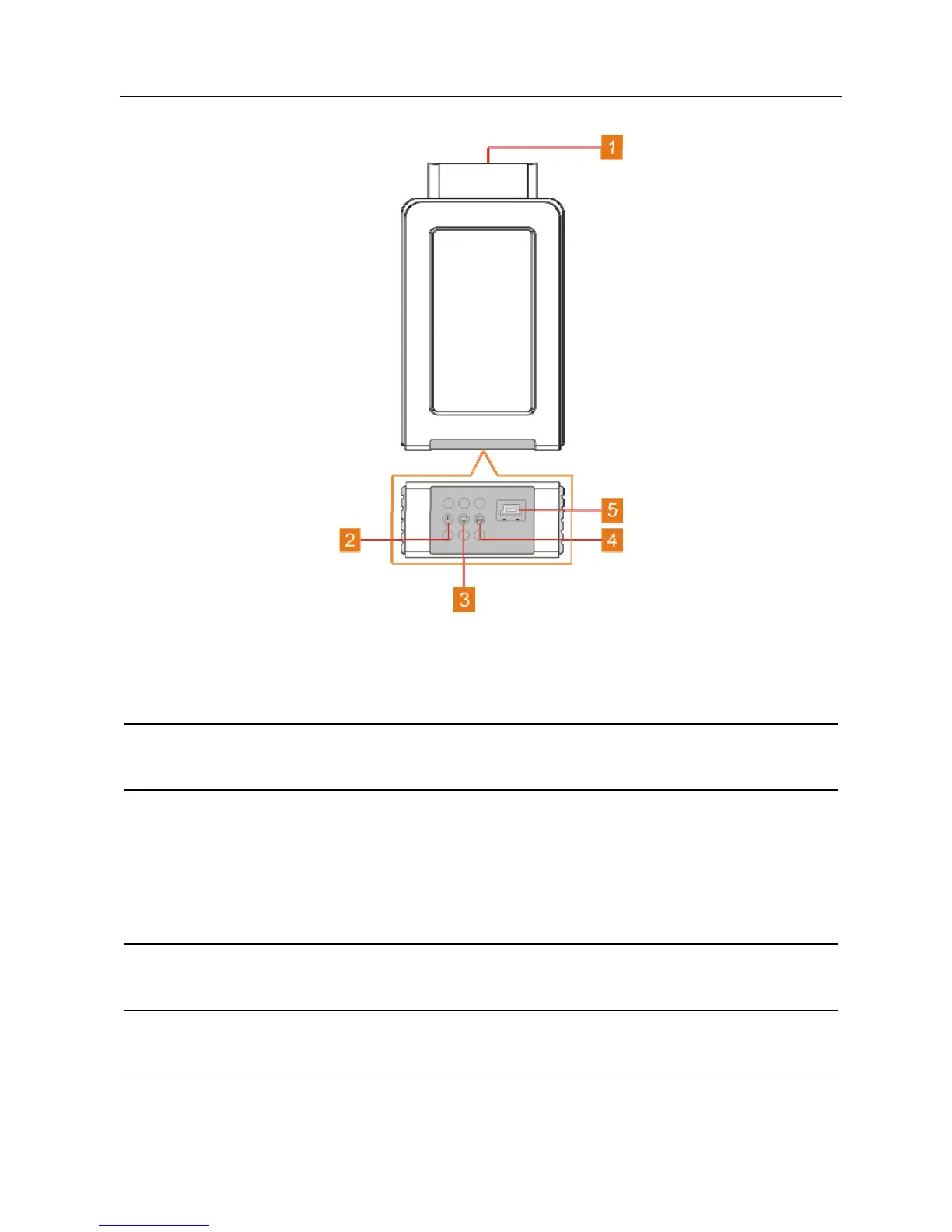
Fig. 2-5 VCI connector
1
OBD-16 diagnostic
connector
To connect on vehicle’s OBD II DLC.
2
Power indicator
It lights up while the connector is plugged into
the vehicle’s DLC.
3
Wireless (BT)/data
cable
communication
indicator
y It indicates wireless (BT) communication
mode if the VCI is energized and illuminates
blue (default mode).
y It illuminates red when the VCI is connected to
the diagnostic tool via data cable.
4
ECU communication
indicator
It flashes when the VCI is communicating with
the vehicle.
5
Data Transmission
port
To connect to the handset to perform vehicle
diagnosis via data cable.















 To Next Page