LAUNCH X-431 Throttle User Manual
81
11.3 Batterybox Structure & Accessories
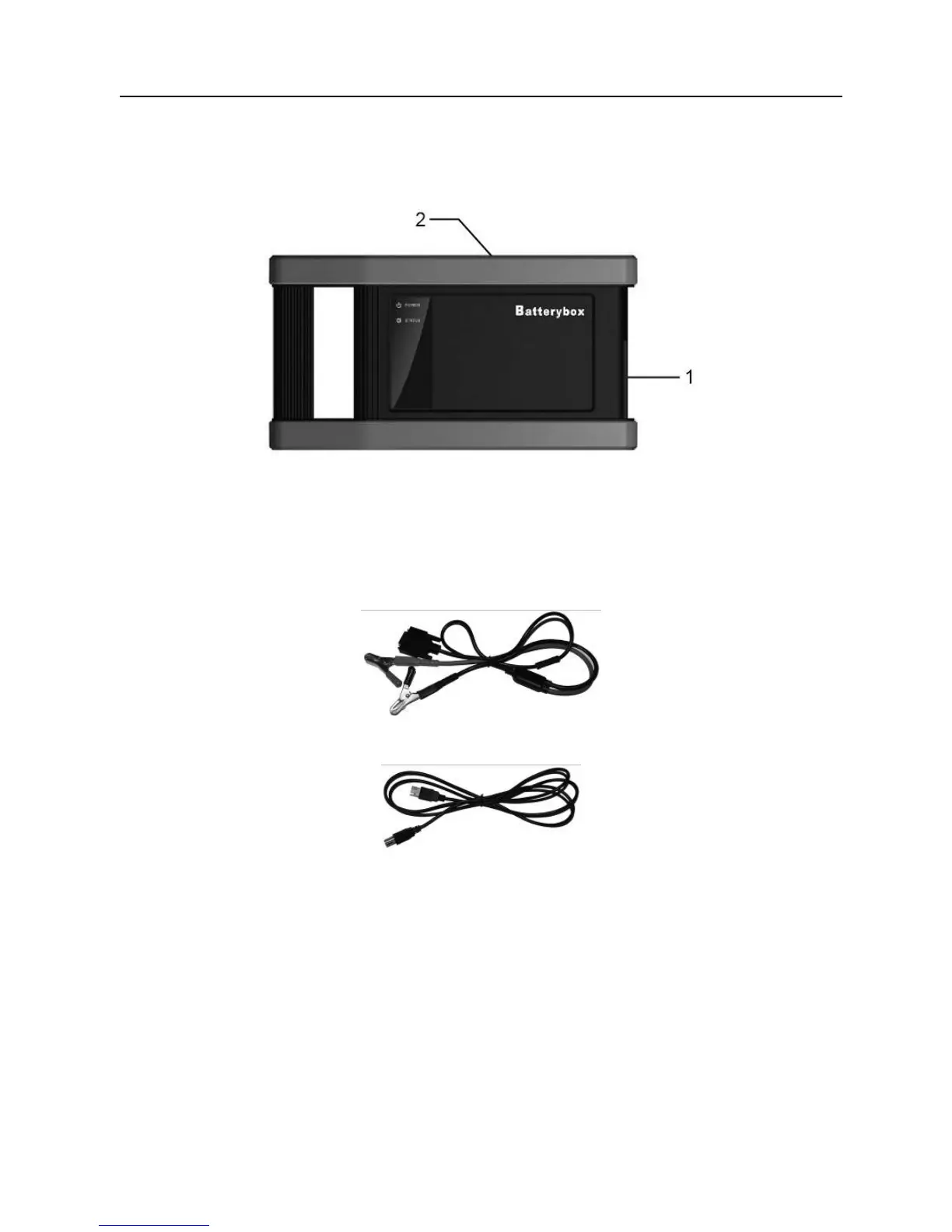
11.3.1 Batterybox structure
Fig.11-1 Batterybox structure diagram
1.
Battery connector: Connect to vehicle’s battery for battery test.
2.
B type USB terminal: Connect to the X-431 Throttle tablet with USB cable.
11.3.2 Test accessories
Fig. 11-2 Kelvin clip
Fig. 11-3 A/B cable
11.4. Connections & Operations
11.4.1 Connection
Connect one end of the A/B cable to the B type USB terminal of the batterybox,
and then connect the other end to the USB port of X-431 Throttle tablet. This
connection applies to outside the vehicle test and inside the vehicle.
Notes:
1. Wait about 10 seconds and begin to communicate since the batterybox needs to
initialize after connection is complete, otherwise, communication may fail.















 To Next Page