LAUNCH X-431 Throttle User Manual
29
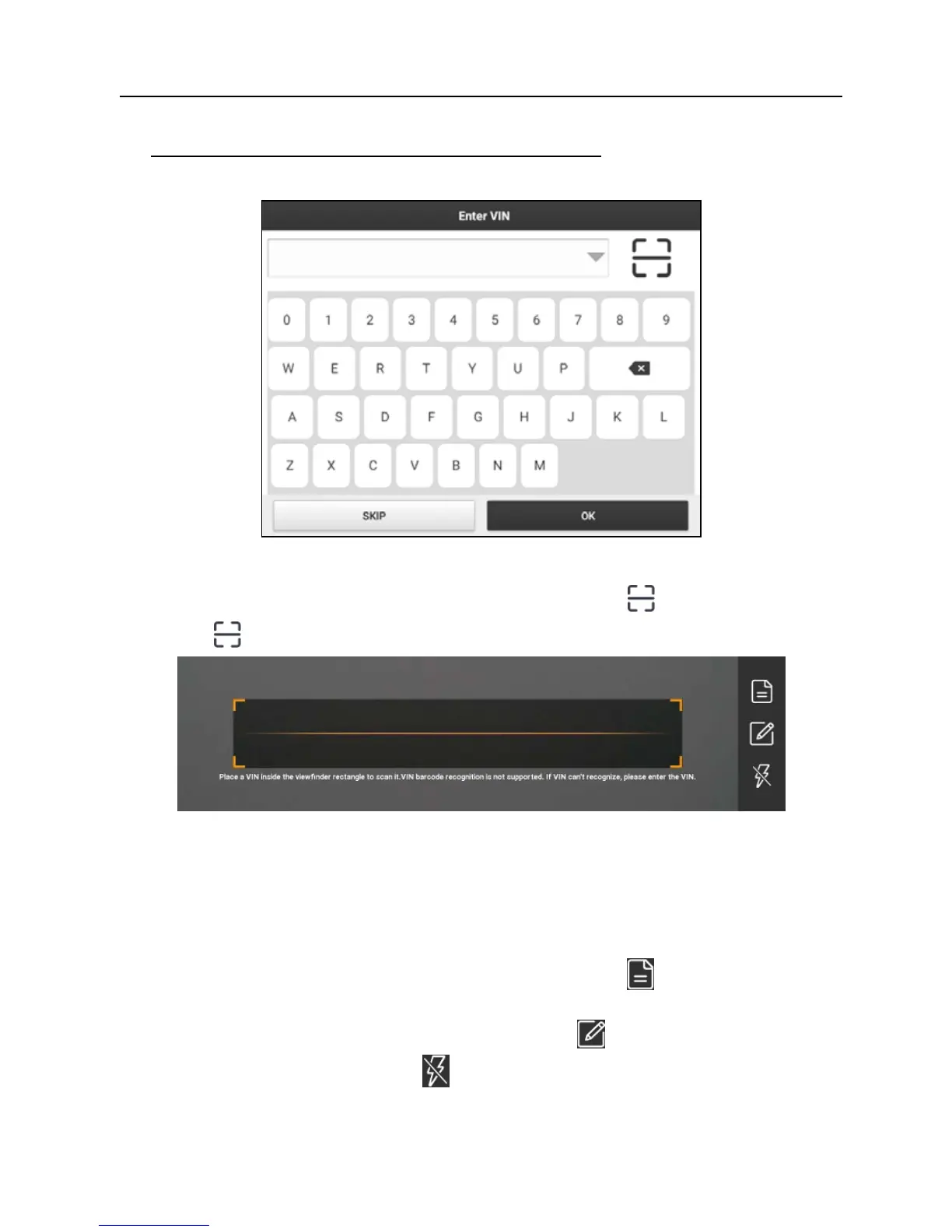
B. If the handset failed to access the VIN information, the screen will display as
below:
Fig. 5-7
In this mode, you need to input the VIN manually or tap
to scan it.
1) Tap “
” to launch the VIN recognition module.
Fig. 5-8
Place the VIN inside the viewfinder rectangle to scan it. The most
recognizable location for this number is in the top left corner on the
vehicle’s dashboard. Other locations include the driver’s door or post, and
the firewall under the hood.
• If you have scanned the VIN of the vehicle, tap
to choose it from
the record list.
• In case the handset failed to detect it, tap
to enter it manually.
• To turn the flash on, tap
.
After scanning, the screen automatically displays the result.















 To Next Page