Doc No. FM0814 issue 5 Page 14
12. IP-DECT SERVER 400 MULTI CELL
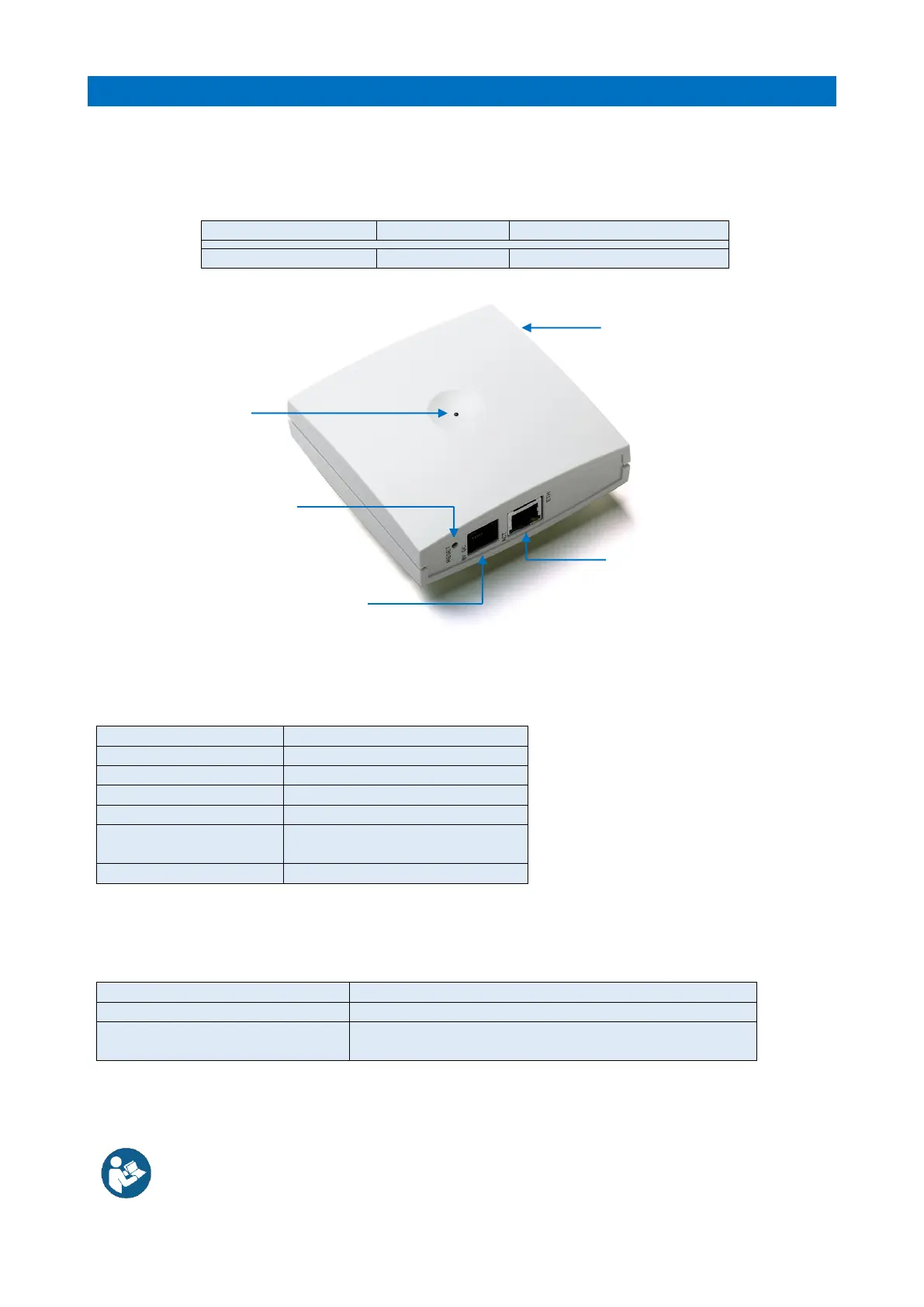
The IP-DECT Server 400 Multi Cell (with built-in Base Station) is deployed on schemes where there is the
need for more users or coverage of a larger area than the IP-DECT Server 200 Single Cell solution.
The IP-DECT Server 400 controls the IP-DECT Base Station(s) and manages the IP interface to the IP-PBX.
LED INDICATOR
The front cover Status LED will indicate the IP-DECT Server/Base Station status by different colours and
flash patterns, see the table below;
Busy (all channels in use)
Reset/shut-down in progress
Steady Red for 5 Seconds
then Fast Red Flashing
Reset to factory settings
RESET BUTTON
You can restart the IP-DECT Server/Base Station by pressing the RESET button on the bottom face, see the
table below for the 2 possible actions;
Server/Base Station restarts when the button is released
Long press (5-9 Secs) until front LED
flashes red then release button
Reset to factory defaults (original IP setting and empty user
data base) and restart.
Refer to the Spectralink IP-DECT Server 200/400/6500 installation guide (see section 6)
Surface Mount ABS Enclosure
100 x 100 x 43mm (HxWxD)
8V PSU Port (if PoE not used)
Ethernet Port (PoE)
Green Flashing LED = Activity
Yellow LED = Ethernet OK
IP-DECT Server 400 Multi-Cell



 To Next Page
 Loading...