EN
111
DELETING INDIVIDUAL RECORDINGS
Press the MENU button
Select Delete in the Playback/Review menu
or
Press the FN button
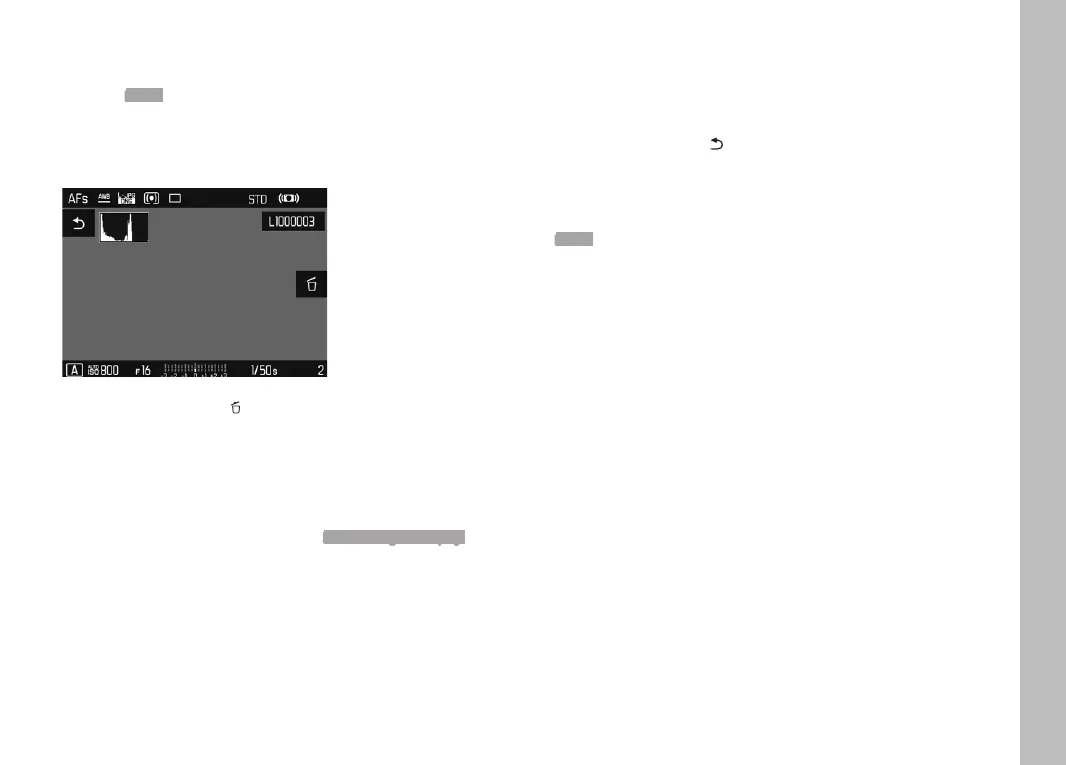
• The Delete screen appears.
Select the Delete icon
(tap the icon briefly or press the center button)
• The LED will flash during the delete process. The process may
take a few seconds.
• The next recording will be displayed once deletion is
complete. The following message appears if no other
recordings are saved on the card: No valid image to display.
To cancel deletion and return to the normal Playback/Review
mode
Press the PLAY button
or
Tap the "Go back" icon briefly
Notes
• The Delete screen can be called up only by pressing the FN
button when in overview mode, because the menu function
Delete of the Review menu is not available in this context.
• The “Scroll” and “Magnify” functions continue to be available
when the “Delete” screen is active.
Playback/Review mode


 To Next Page