EN
27
CHARGING THE BATTERY
The camera is powered by a lithium-ion battery.
INSERTING THE BATTERY IN THE CHARGER
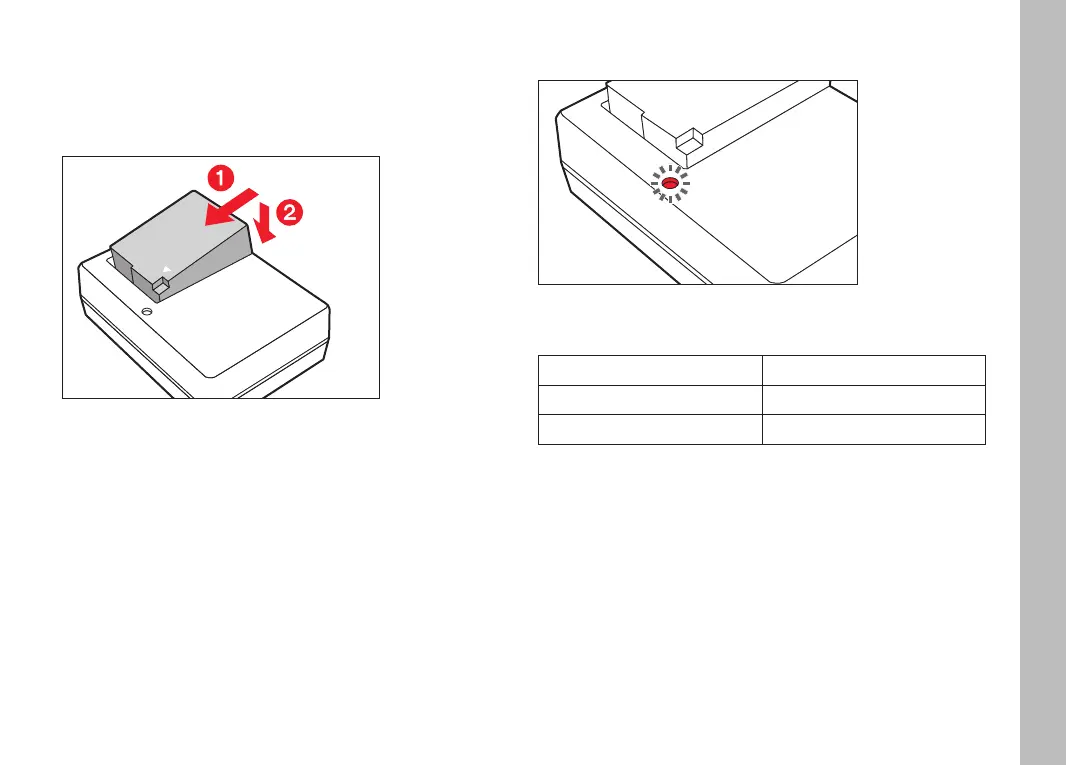
Insert the battery into the charger at an angle so that the
contacts meet
Press down on the battery until you can hear and feel it clicking
into place
REMOVING THE BATTERY FROM THE CHARGER
Tilt the battery up and lift it out at an angle
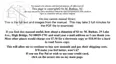
CHARGE STATUS INDICATORS ON THE CHARGER
The status LED indicates a correct charging process.
Display Charge status
lights up green battery is charging
goes out 100%
Disconnect the charger from mains electricity when the charging
process is complete. There is no risk of overcharging.
Preparation


 To Next Page