EN
28
INSERTING/REMOVING THE BATTERY
Ensure that the camera is switched OFF (see p. 36)
Open the cover of the battery compartment/memory card slot
and close it again afterwardsn (see p. 31)
Important
Removing the battery while the camera is switched on may result
in the loss of custom settings or damage to the memory card.
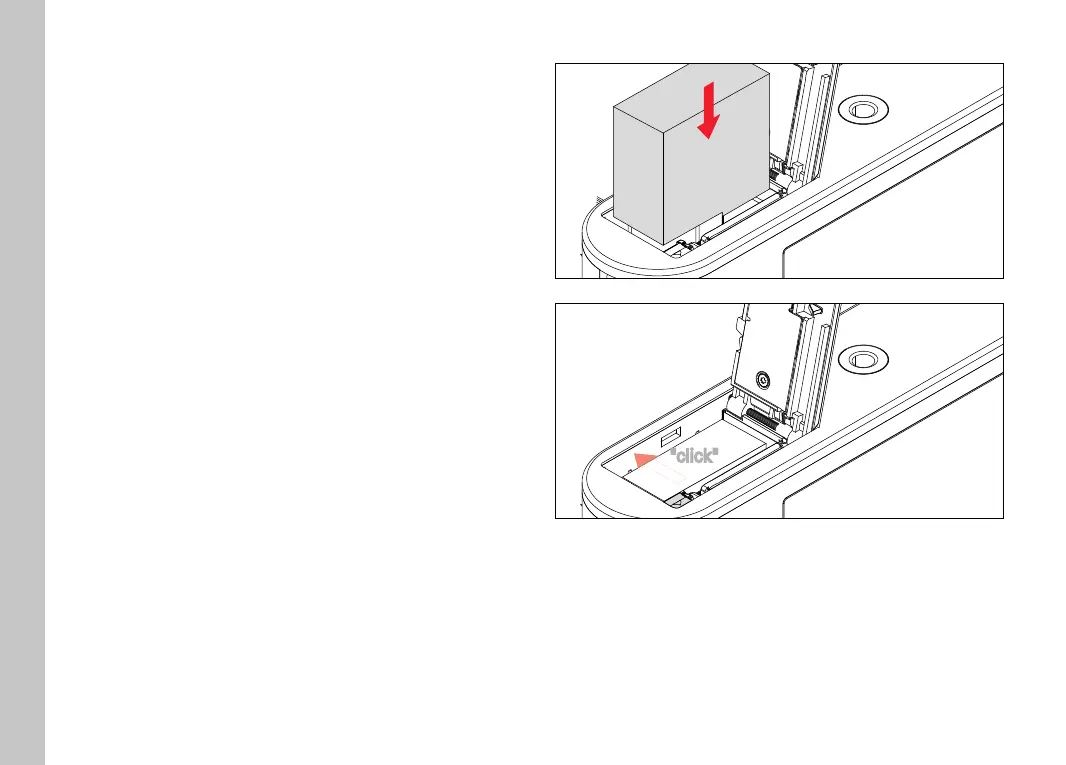
INSERTION
"click"
Insert the battery into the charger so that the contacts meet
Press the battery down into the battery compartment
• The battery locking latch will spring out to secure the battery.
Preparation



 To Next Page