EN
112
DELETING MULTIPLE RECORDINGS
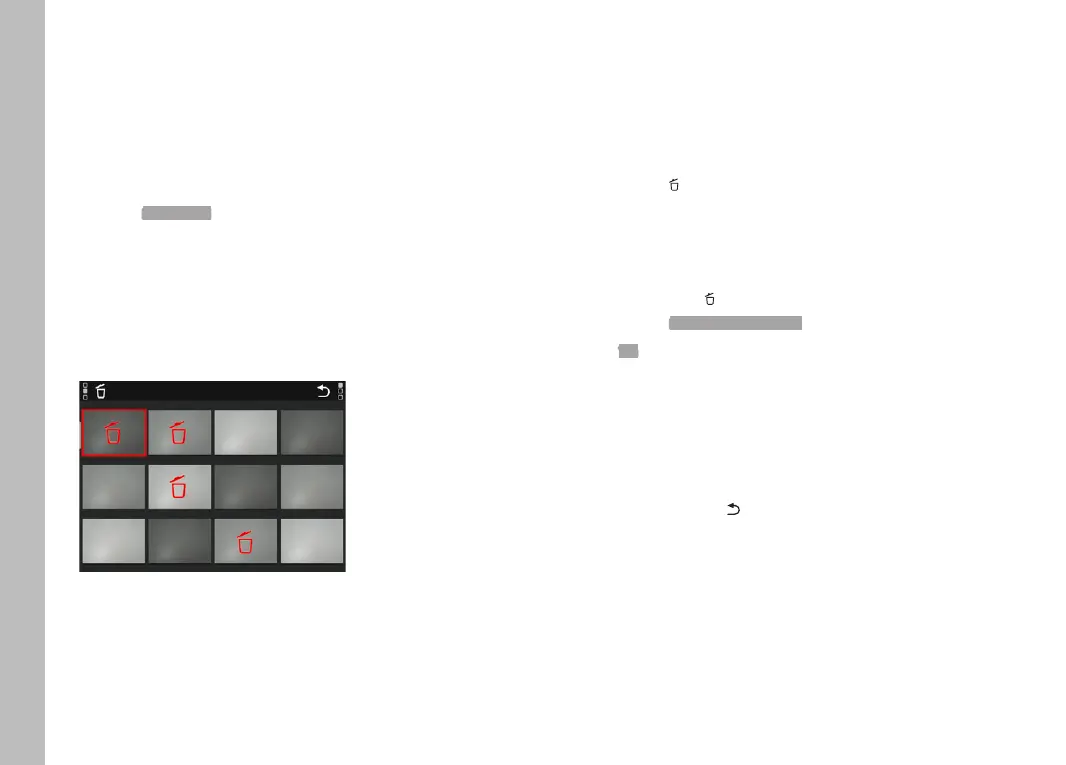
Several recordings can be marked in a Delete overview with twelve
thumbnails and can then be deleted all at once. This overview can
be reached in two ways.
Turn the right setting wheel to the left
• The overview screen appears.
Press the MENU button
Select Delete Multi in the Review menu
• The Delete overview appears.
or
Press the FN button
• The Delete screen appears.
Turn the right setting wheel to the left
• The Delete overview appears.
Any number of recordings can be selected in this view.
Select a recording using the directional pad.
Press the center button/right setting wheel button
or
Briefly touch the image
• The recordings selected for deletion are marked with a red
Delete icon .
To delete the selected recordings
Press the FN button
or
Tap the Delete icon briefly
• The prompt Delete all marked files? appears.
Select Yes
To cancel deletion and return to the normal Playback/Review
mode
Press the PLAY button
or
Tap the "Go back" icon briefly
Playback/Review mode



 To Next Page