EN
52
CAMERA DEFAULT SETTINGS
For details on how to navigate in the menus and for inputs see
chapter "Menu control" (p. 42).
MENU LANGUAGE
Factory setting: English
Available menu languages: German, French, Italian, Spanish,
Russian, Japanese, Korean, Traditional or Simplifi ed Chinese
Select
Language in the main menu
Select your language
• Aside from a few exceptions, the language will be changed for
all information.
DATE/TIME
DATE
You can choose one of 3 options.
Select
Date & Time in the main menu
Select
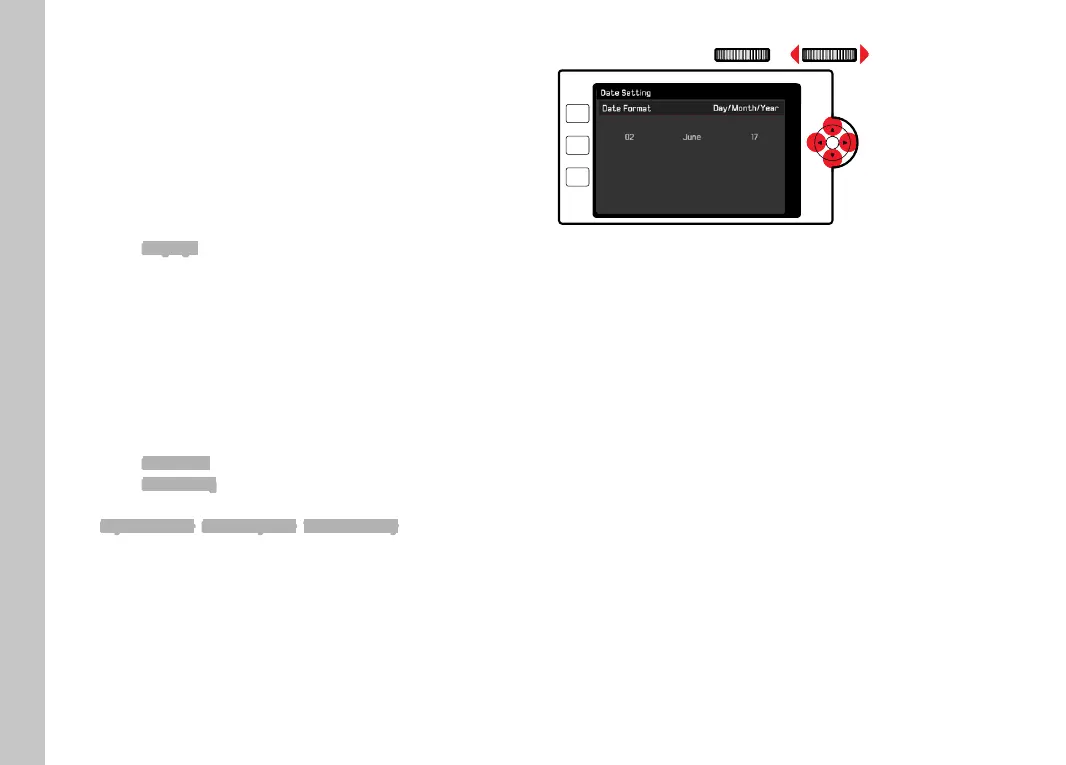
Date Setting in the submenu
Select the desired date format
(
Day/Month/Year, Month/Day/Year, Year/Month/Day)
Set the date
PLAY
FN
MENU
To move to the next settings fi eld
Press the directional pad left/right
or
turn the right setting wheel
To set values
Press the directional pad up/down
To save and return to parent menu item
Press the center button/right setting wheel button
Camera default settings



 To Next Page