EN
39
SETTING WHEEL FUNCTIONS
IN RECORDING MODE
The function of each of the setting wheels depends on the active
operating mode.
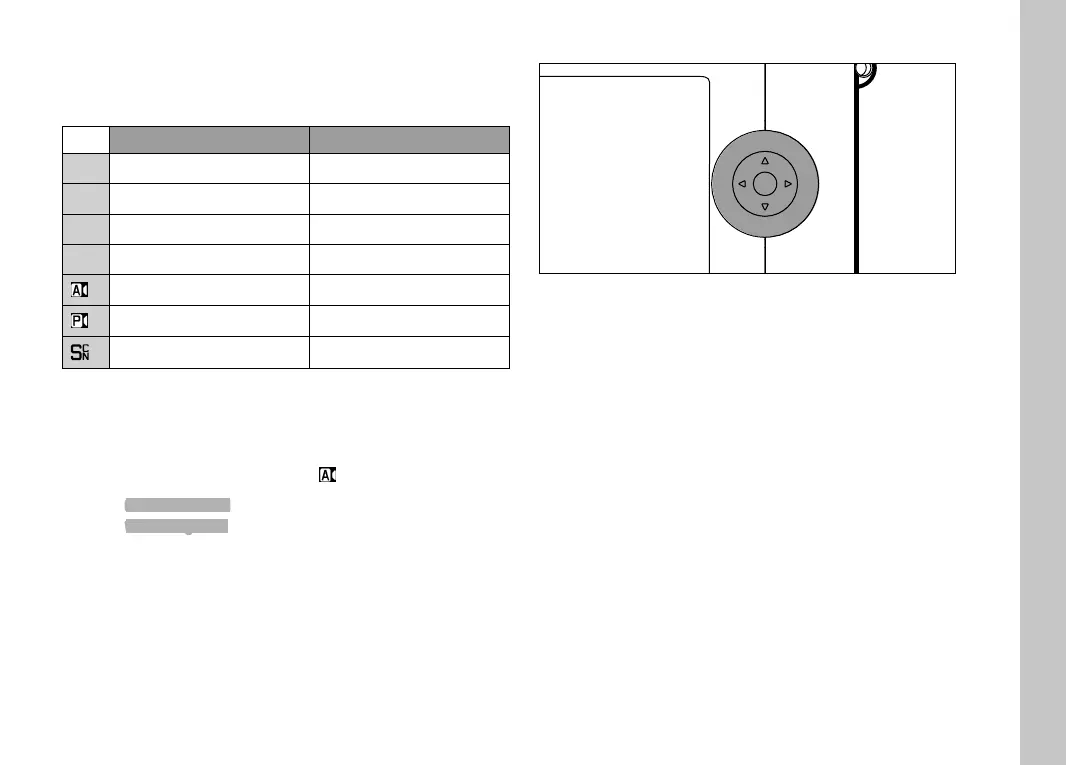
Left setting wheel Right setting wheel
P
Exposure compensation Mode shift
S
Shutter speed Exposure compensation
A
Exposure compensation Aperture
M
Shutter speed Aperture
Exposure compensation Aperture
Exposure compensation Exposure compensation
Exposure compensation Exposure compensation
In picture mode, the relevant function of the setting wheel is
indicated on screen below the wheel, once the setting wheel is
turned to the next position.
The functions of the right and left setting wheels can be swapped
for the operating modes
P, S, A, M and .
Select
Customize Control in the main menu
Select
Wheel Assignment in the submenu
Select a setting
DIRECTIONAL PAD/CENTER BUTTON
PLAY
FN
MENU
LEICA CAMERA WETZLAR GERMANY
PLAY
FN
MENU
LEICA CAMERA WETZLAR GERMANY
DIRECTIONAL PAD
– Menu navigation
– Setting selected menu items/functions
– Scrolling through the picture memory
– Shifting the metering fi eld (Field or Spot AF)
CENTER BUTTON
– Accessing the status display
– Accessing the submenu
– Applying menu settings
– Confi rming the selection
– Confi rming a deletion
– Display of picture data during review
– Playback of video recordings
Camera operation



 To Next Page