EN
79
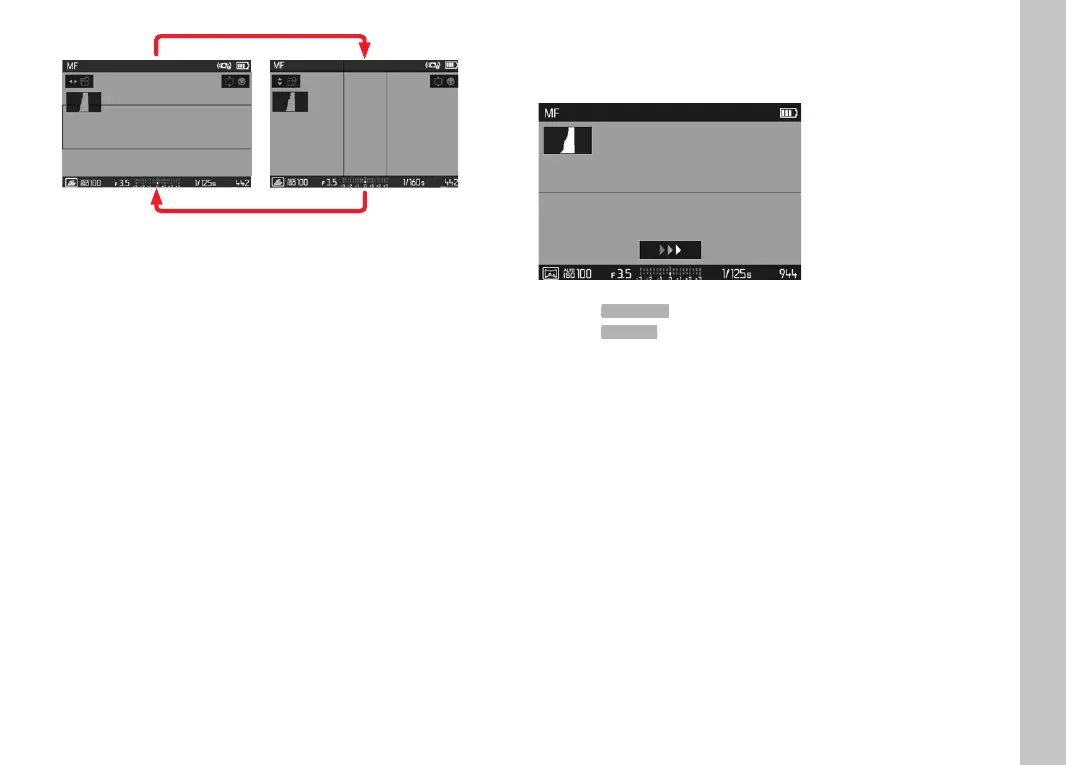
to switch to a vertical frame
Press the directional pad left/right
to switch to a horizontal frame
Press the directional pad up/down
Changing the frame position
Press the directional pad left or right as needed
Changing the frame width
Turn (any) setting wheel
to the left = smaller, to the right = larger)
PANORAMA IMAGES
The Leica CL can capture classic horizontal, as well as vertical
panorama images.
Select Scene Mode in the main menu
Select
Panorama in the submenu
• Auxiliary displays appear on screen
– a white horizontal/vertical line
– a progression display indicating the direction
Align the camera in such a way that the desired left/bottom
edge of the image is not all the way at the left/bottom of the
screen image
Press and hold the shutter button
Pan the camera evenly in the indicated direction along the white
auxiliary line
• Pictures are taken automatically and in quick succession.
• The image picture is canceled if the camera is panned too
slowly or too fast, or if it is tilted too much and a relevant
notifi cation will appear on screen.
Release the shutter button to stop the picture series
• The camera generates a single image from the picture series.
Picture Mode



 To Next Page