EN
86
EXPOSURE COMPENSATION
Exposure meters are calibrated for a medium gray scale value,
which matches a standard, i.e. average image object. Should the
measured image detail not fulfill that requirement, then the a
relevant exposure compensation can be effected.
Specifically where several pictures are taken in sequence, for
example if for a series a slightly lesser or greater exposure is
desired for a particular reason, then exposure compensation can
be a very useful function: Once set, the setting remains active
– unlike the metering memory lock – until it is reset.
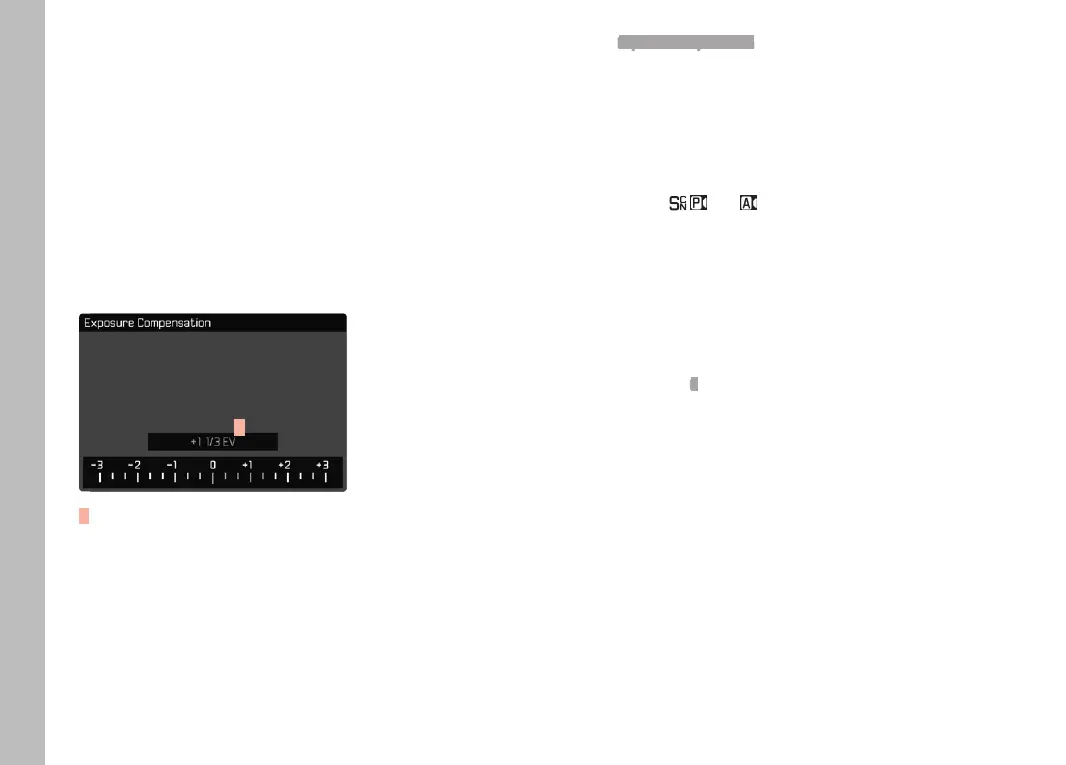
Exposure compensation can be set in the range ±3EV in 1⁄3 EV
increments (EV: exposure value).
A
A Set compensation value (marks at 0 = Off)
Select Exposure Compensation in the main menu
• A scale appears as a submenu item.
Set the value on the scale
• The set value is displayed above the scale.
• While setting the value, you can see the effect on the screen
image, which becomes darker or lighter.
In modes P, S, A, and , a compensation value can also be
set directly via one of the setting wheels.
Notes
• When setting the exposure manually, exposure compensation
can only be done via menu control, or if the function for direct
access was selected (see p. 50).
• The following applies for set compensation values, no matter
how they were initially set: They remain effective until they are
manually reset to 0, i.e. even if the camera is switched off and
on again in the meantime.
Picture Mode



 To Next Page