CS10/CS15 & GS Sensors, Operation 41
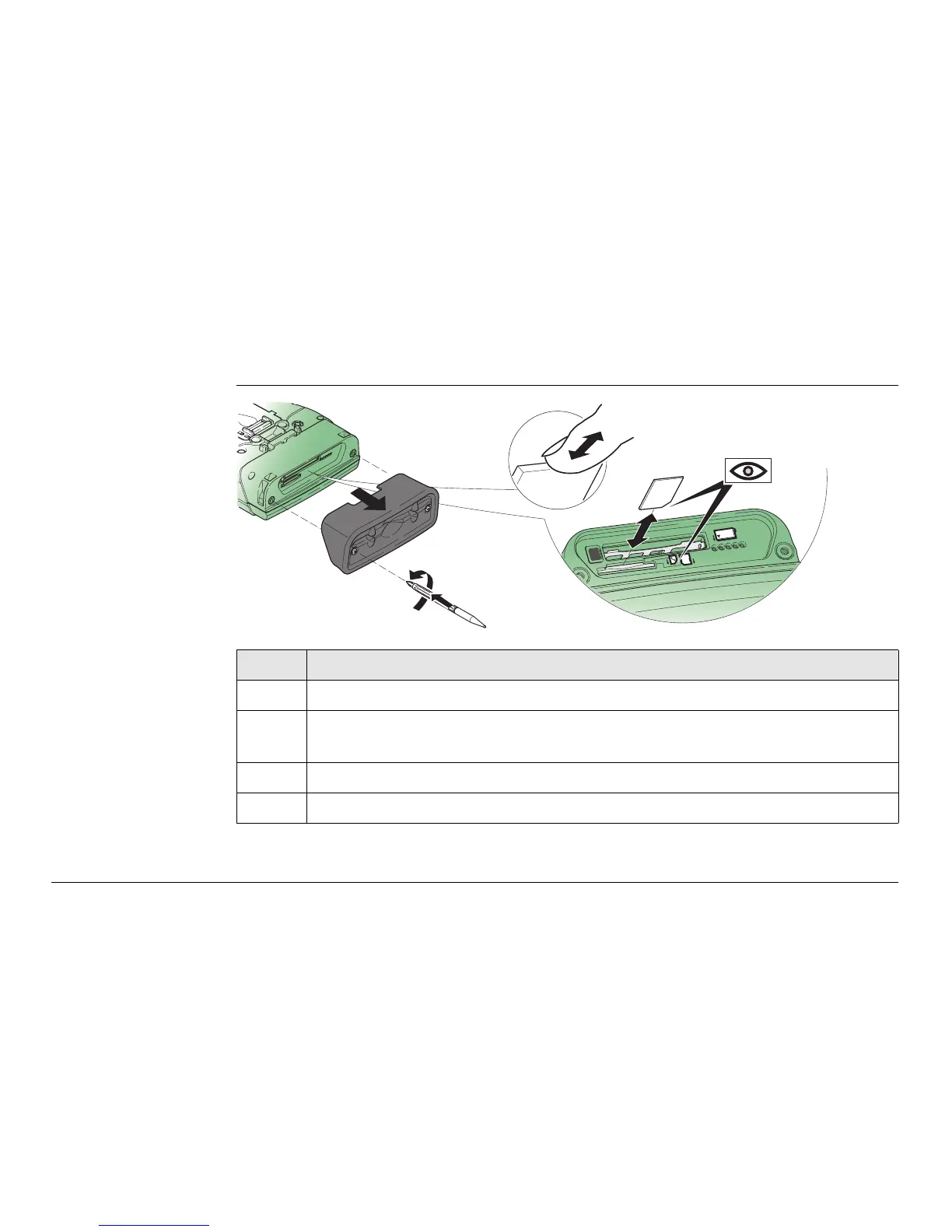
3.1.4 Inserting and Removing a SIM Card
Insert and remove
a SIM card step-by-
step
Description
The SIM card is inserted into a slot inside the top of the CS10/CS15.
1. Loosen the screws inside the slot cover on top of the CS10/CS15 using the
screwdriver end of the stylus.
2. Detach the slot cover from the CS10/CS15.
3. Slide the card firmly into the slot until it clicks into position.
SD
CF
2
4
3
1
CS_019



 To Next Page