44
CS10/CS15 & GS Sensors, Operation
3.1.6 Setting up as Handheld GNSS
The setup GS05/CS10 is identical to the setup GS06/CS15. For simplicity, the setup
GS05/CS10 is used in the following.
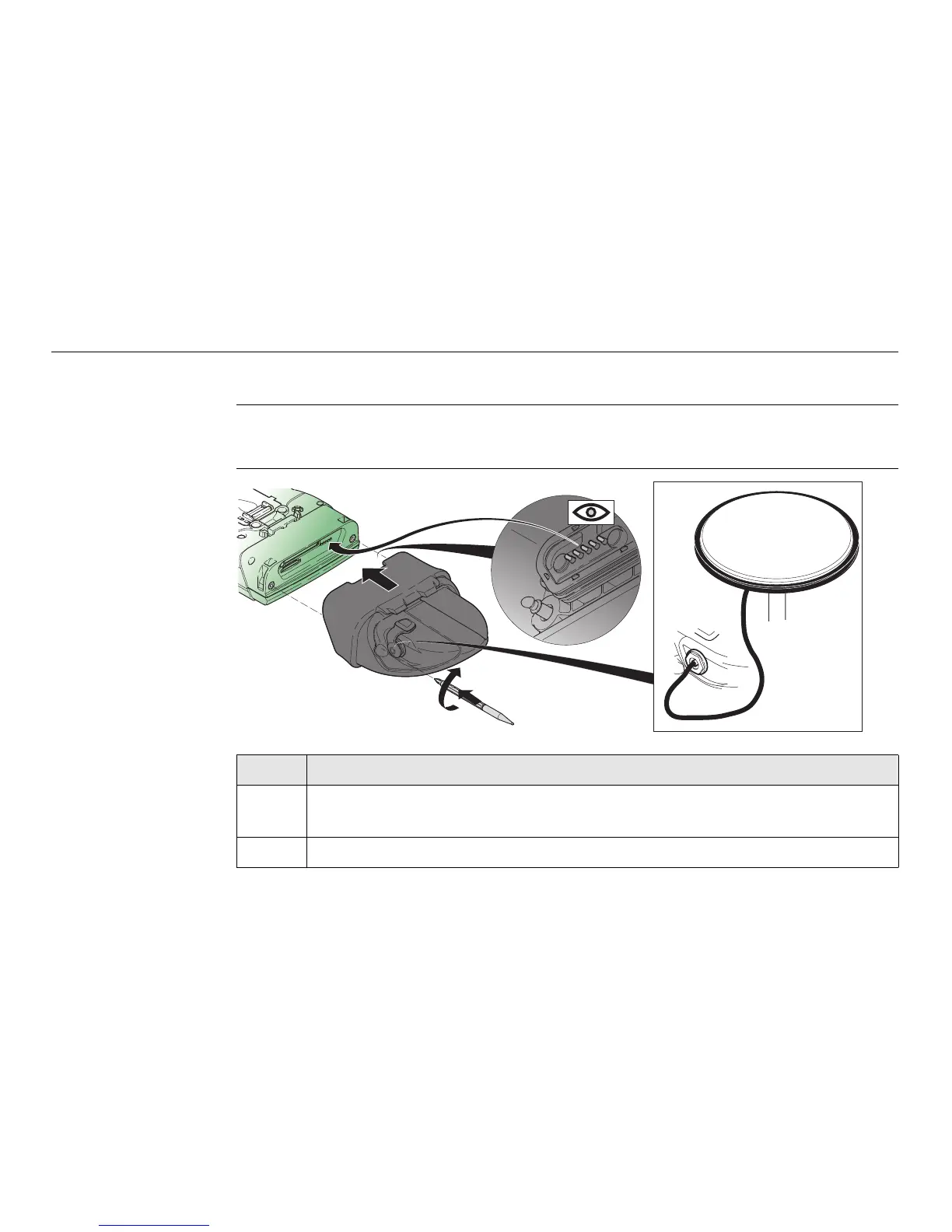
Attaching the GS05
to the CS10 step-
by-step
Step Description
Detach the slot cover from the CS10. Refer to "3.1.3 Fixing the Slot Cover
to the CS".
1. Check the position of the contacts in the inner surface of the GS05.
1
2
3
4
CS_011



 To Next Page