CS10/CS15 & GS Sensors, Operation 59
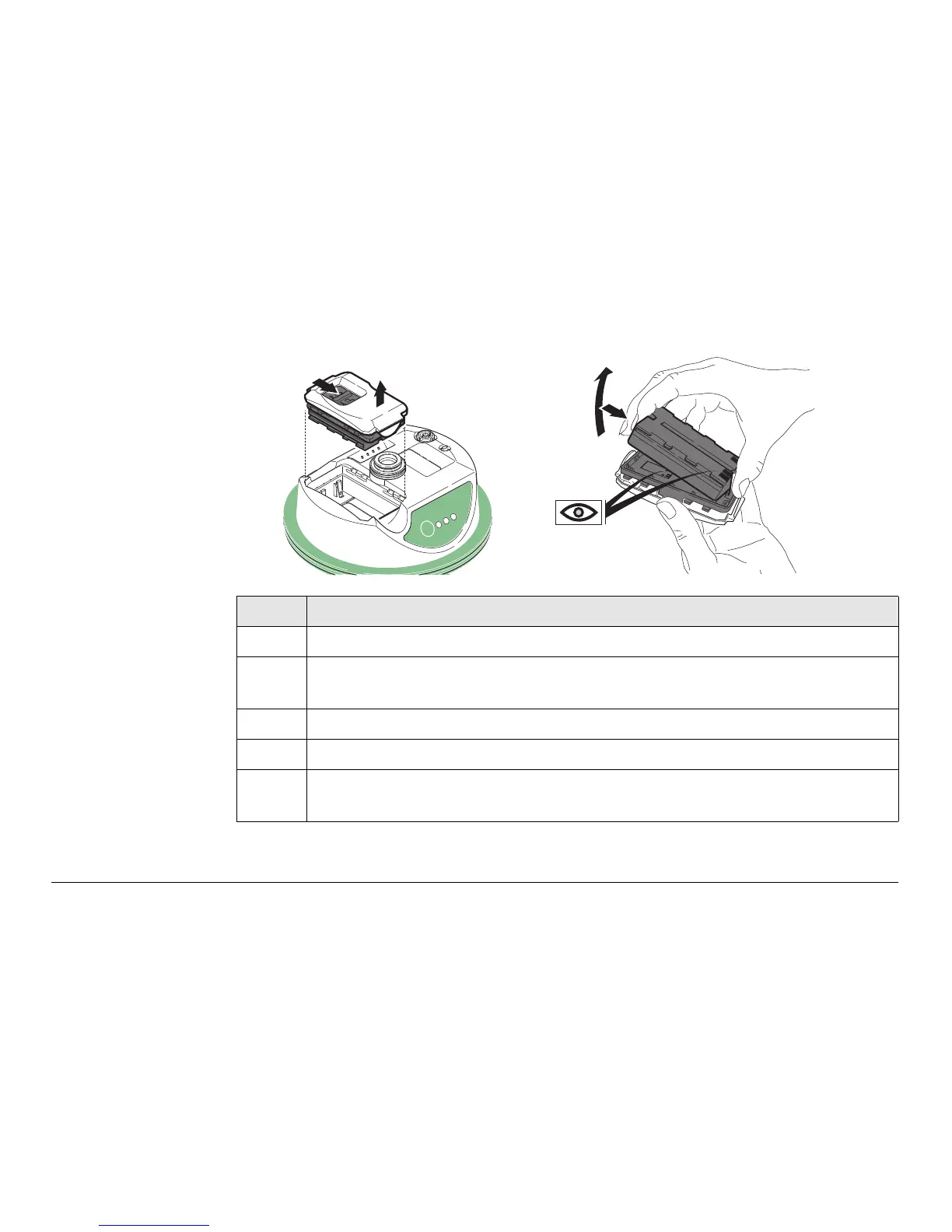
Insert and remove
the battery on the
GS08plus/GS12
step-by-step
Step Description
1. Turn GS08plus/GS12 over to gain access to the battery compartment.
2. Open the battery compartment by pushing the slide fastener in the direc-
tion of the arrow with the open-lock symbol.
3. Pull out the battery housing. The battery is attached to the housing.
4. Hold the battery housing and pull the battery from the battery housing.
5. A polarity of the battery is displayed inside the battery housing. This is a
visual aid to assist in placing the battery correctly.
2
3
GS_121
4
5
TRK
BT
PWR
ON
OFF



 To Next Page