If the instrument is brought from a cold environment, for example from stor-
age, into a warm and humid environment, the mirror or in extreme cases even
the interior optics can condense. This may cause measurement errors.
☞
Precaution: Avoid rapid temperature changes and give the instrument
time to acclimatise.
Due to the encapsulated mirror design, the mirror is protected against direct
contact. But dirt on the rotating mirror-protection glass such as a layer of
dust, condensation or ngerprints may cause considerable measuring errors.
4.5.2 Onboard Controls
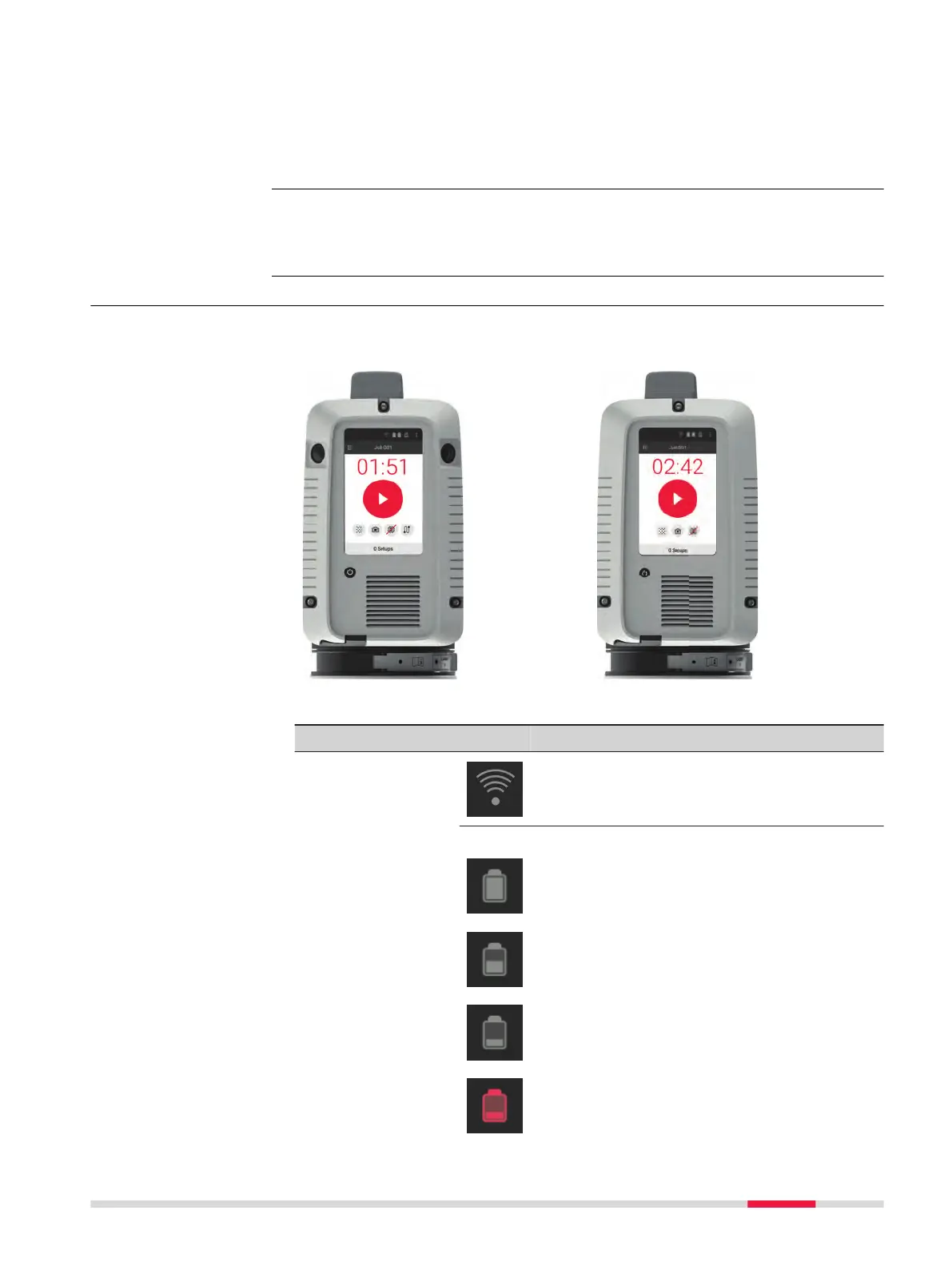
The Start screen is displayed after the system boot process. Once it is visible
the instrument is ready for scanning.
RTC360
RTC360 LT
Element Description
Status eld
WLAN enabled
Status of exchangeable battery
100% - 75% of capacity left
75% - 25% of capacity left
25% - 12% of capacity left
Less than 12% of capacity left
Temperature changes
during scanning
Dirt on the rotating
mirror-protection
glass
About the Start
screen
Operation 31



 To Next Page