Element Description
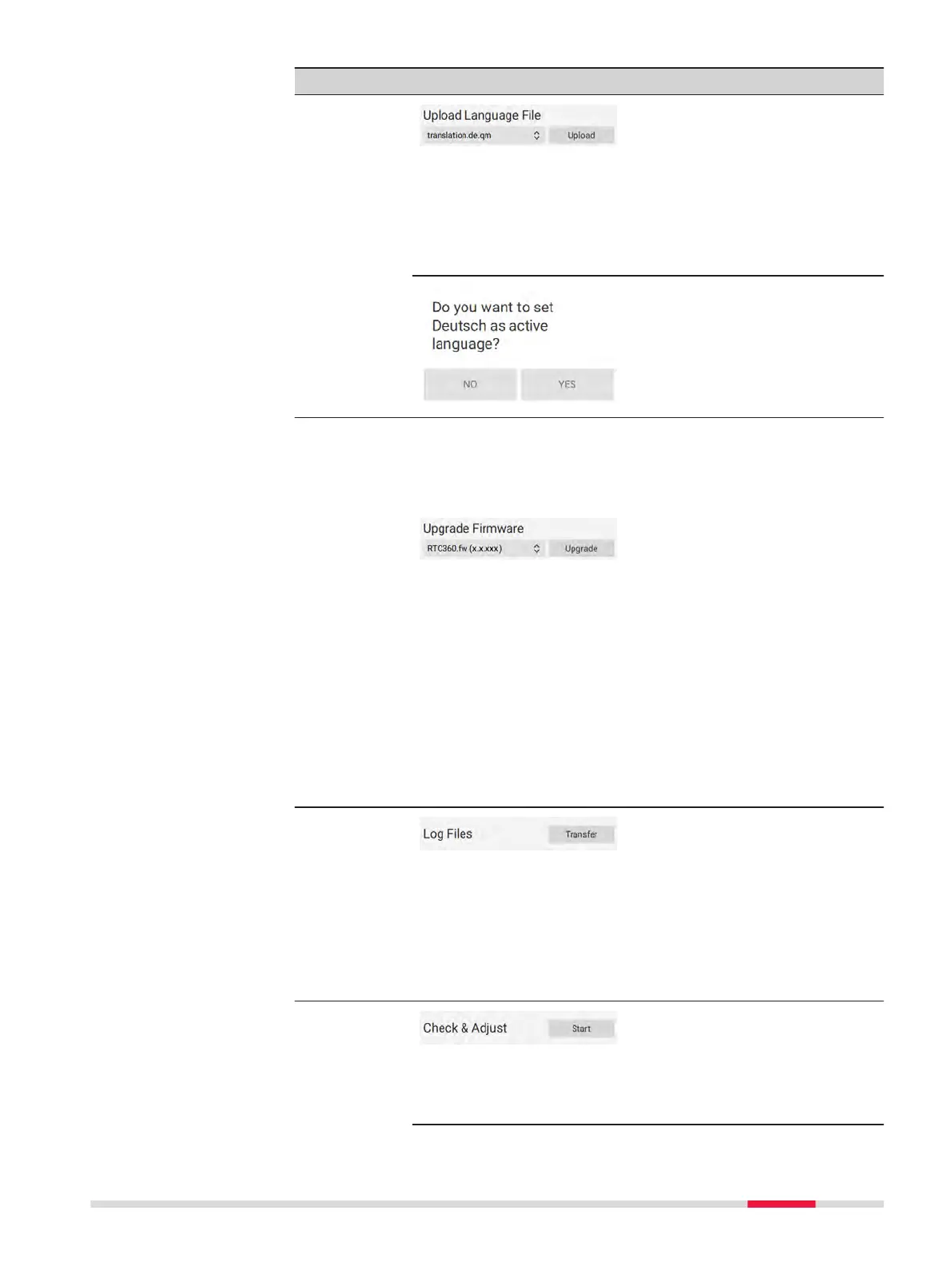
Language
upload
1.
Copy the language le (*.qm)
to the Languages directory
on the USB stick.
2.
Attach the USB stick to the
instrument.
3.
Tap the double arrow and
select the language le from
the drop-down list.
4.
Tap Upload.
A language can be activated dir-
ectly after upload. A conrma-
tion message will be displayed.
Tap YES to activate the lan-
guage.
Tap NO to keep the current lan-
guage.
Firmware
upgrade
☞
A rmware upgrade can take up to 30 minutes.
Make sure that you have got sufcient battery
power or provide AC power. Do not interrupt
power supply during the upgrade process.
1.
Copy the rmware le (*.fw)
to the root directory on the
USB stick.
2.
Attach the USB stick to the
instrument.
3.
Tap the double arrow and
select the rmware le from
the drop-down list.
4.
Tap Upgrade.
5.
Accept the Leica Geosys-
tems Software Licence
Agreement to start the
upgrade process.
When the upgrade is complete
the instrument is restarted.
Transfer of
logles
1.
Attach the USB stick to the
instrument.
2.
Tap Transfer in order to
export logles (*.logs) to
the Logs directory on the
USB stick.
☞
A transfer of logles can take up to 5 minutes.
When the transfer is complete a message is dis-
played.
Check &
Adjust
Tap Start to start the Check &
Adjust procedure.
☞
Before performing the Check & Adjust, read the
separate RTC360/RTC360 LT Check & Adjust User
Manual.
Operation 37



 To Next Page