EN
238
Recording mode
ADDITIONAL RECORDING FUNCTIONS
INTERVAL PICTURE SERIES
The Leica SL makes it possible to automatically take pictures of
motion sequences over a long period of time in the form of picture
series. In order to do this, you must define the start time of the
series, the intervals between pictures, and the number of pictures.
Setting the function
1. In the menu's
CAMERA section, select Drive Mode, and
2. in the submenu,
Interval.
3. Back in the
CAMERA section, select Interval this time,
4. in the submenu
Number of Frames, and
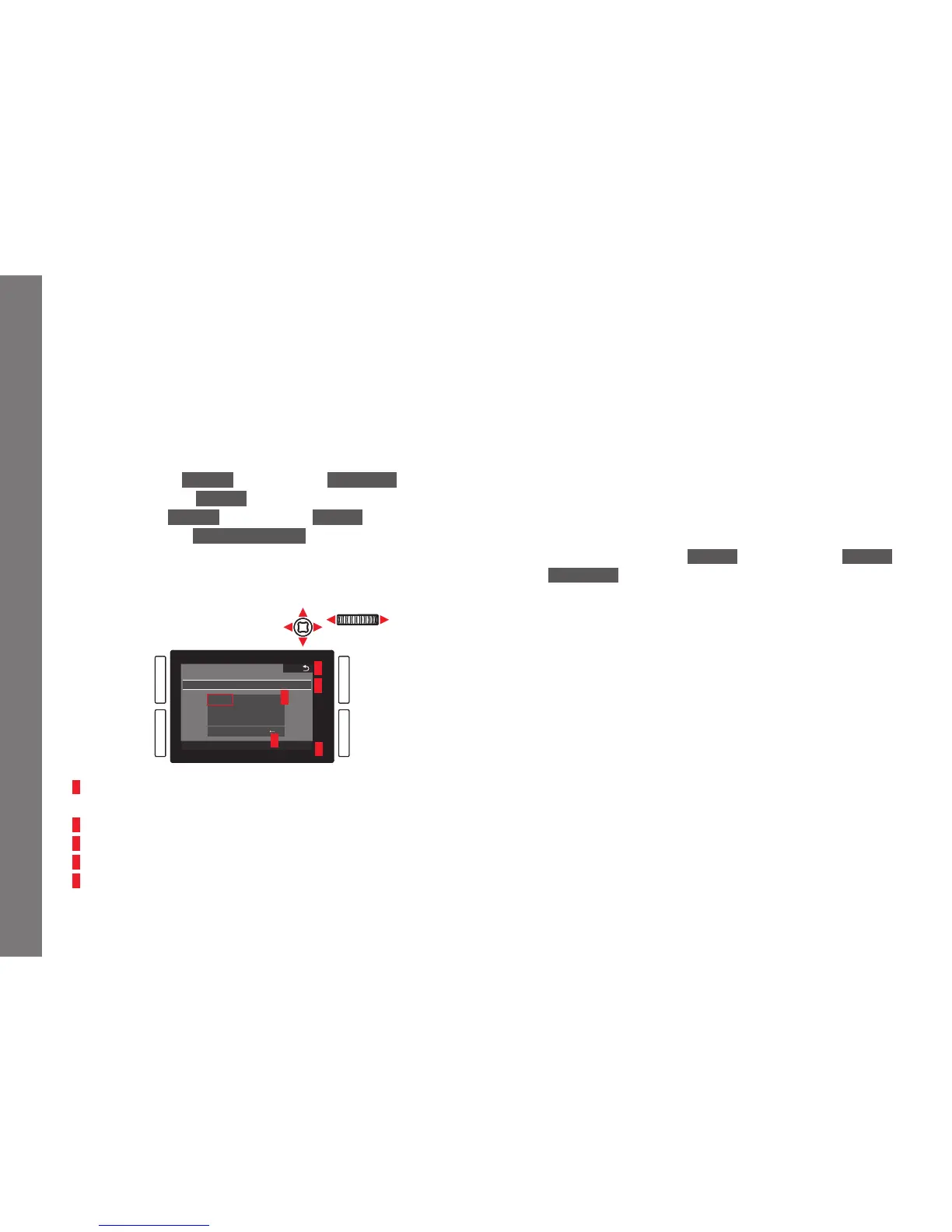
5. in the corresponding keypad-submenu the number of shots the
intended interval series is supposed to consist of.
1
4
3
2
5
1 Back "button" (for returning to the previous menu level without
confirming any settings)
2 Edit line
3 Numeric pad
4 Delete "button" (for deletion of the respective last value)
5 Confirmation "button" (for both individual values as well as the
finished settings)
Operating the keypad can be done differently.
Using menu control
– To move left or right, turn the click wheel or press the joystick in
the desired direction.
– To move up or down, press the joystick in the desired direction.
– To confirm a value or setting, press the click wheel or the
joystick inwards.
Using gesture control
– Tap the desired value and the respective setting 'buttons'.
– To set the time between the shots and the time until the series is
supposed to start:
1. In step 3. above mentioned
Interval submenu, select Interval
and
Countdown, respectively, and
2. in the corresponding submenus, the respective times.
– To set the values, turn the click wheel, or press the joystick
up or down.
– To switch between hours, minutes and seconds, press the
joystick inwards or in the desired direction.
Pressing the click wheel is also available.
– To confirm settings, press the
BR button.
SL_EN.indd 238 16.09.2015 15:04:33



 To Next Page