EN
176
Camera operation
MENU CONTROL
Most of the modes and settings on the Leica SL are operated using
menus. Navigating and making settings throughout the menus is
extremely quick and easy, as
– the menu items in the main menu are divided into three logically
grouped function sections that can be accessed directly,
– six buttons allow direct access to freely assignable menu items,
and
– there is a separate, freely assignable
FAVORITES menu.
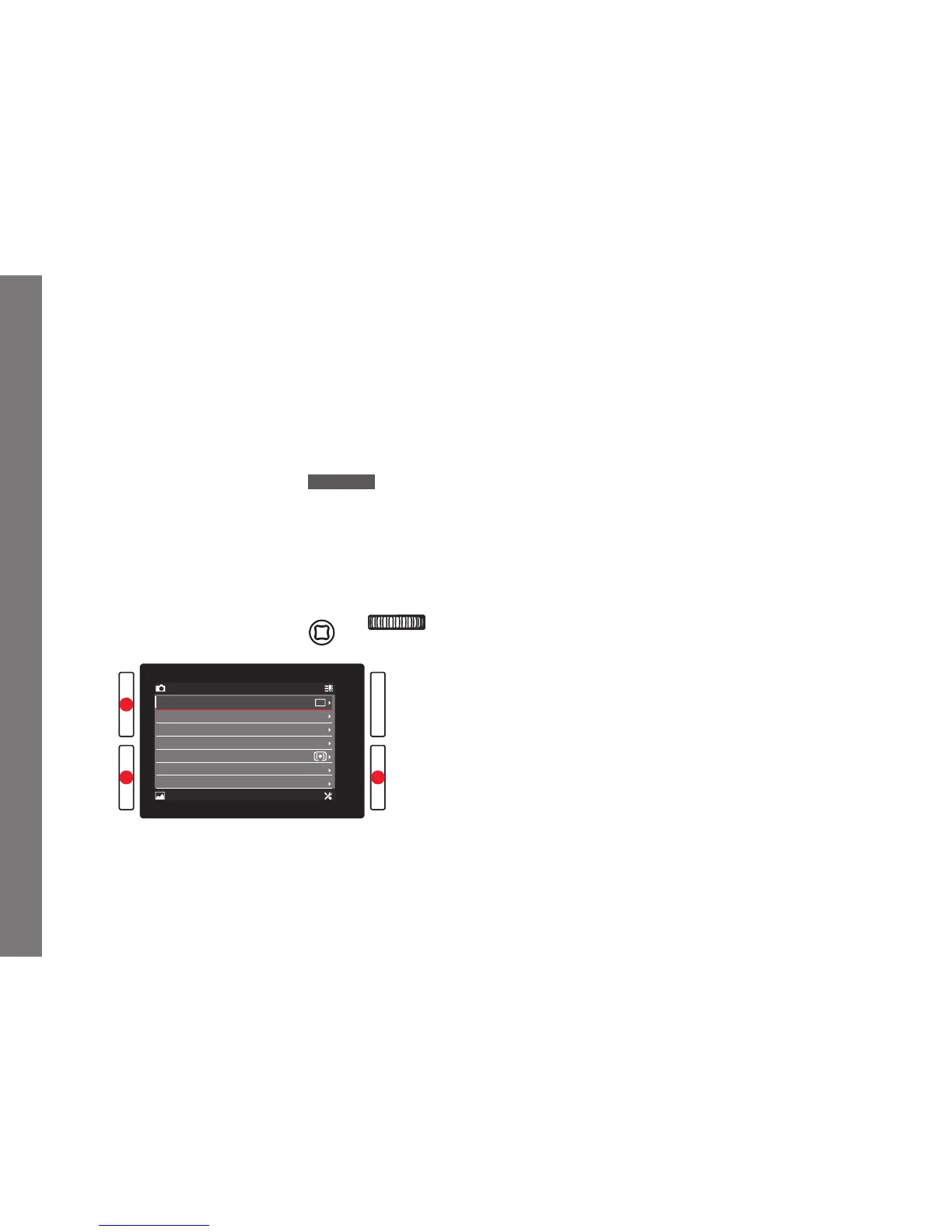
Calling up the main menu
To call up menu control and directly access the three main menu
sections, and also, within the sections, to 'jump' to the individual
pages they consist of, you use three of the four buttons located to
the left and right of the monitor.
Notes:
• These three buttons are so-called "soft keys". Outside the
normal menu control, e.g. when reviewing pictures in the
monitor, they have different functions, indicated by
corresponding displays.
The same applies to the upper right button next to the monitor,
the function button on the front, and the Live View button on the
top.
• During the further course of these instructions, the four buttons
next to the monitor will either be identified by stating their
specific functions in the relevant situations, or they will be
designated as follows:
–
TL (top left)
–
BL (bottom left)
–
TR (top right)
–
BR (bottom right)
The Live View button will be designated
LV, and the function
button
FN.
SL_EN.indd 176 16.09.2015 15:04:24



 To Next Page