Update Search
When some program is deleted, you can use
Update Search to search it again.
Press the ▲▼ button to select Update Search.
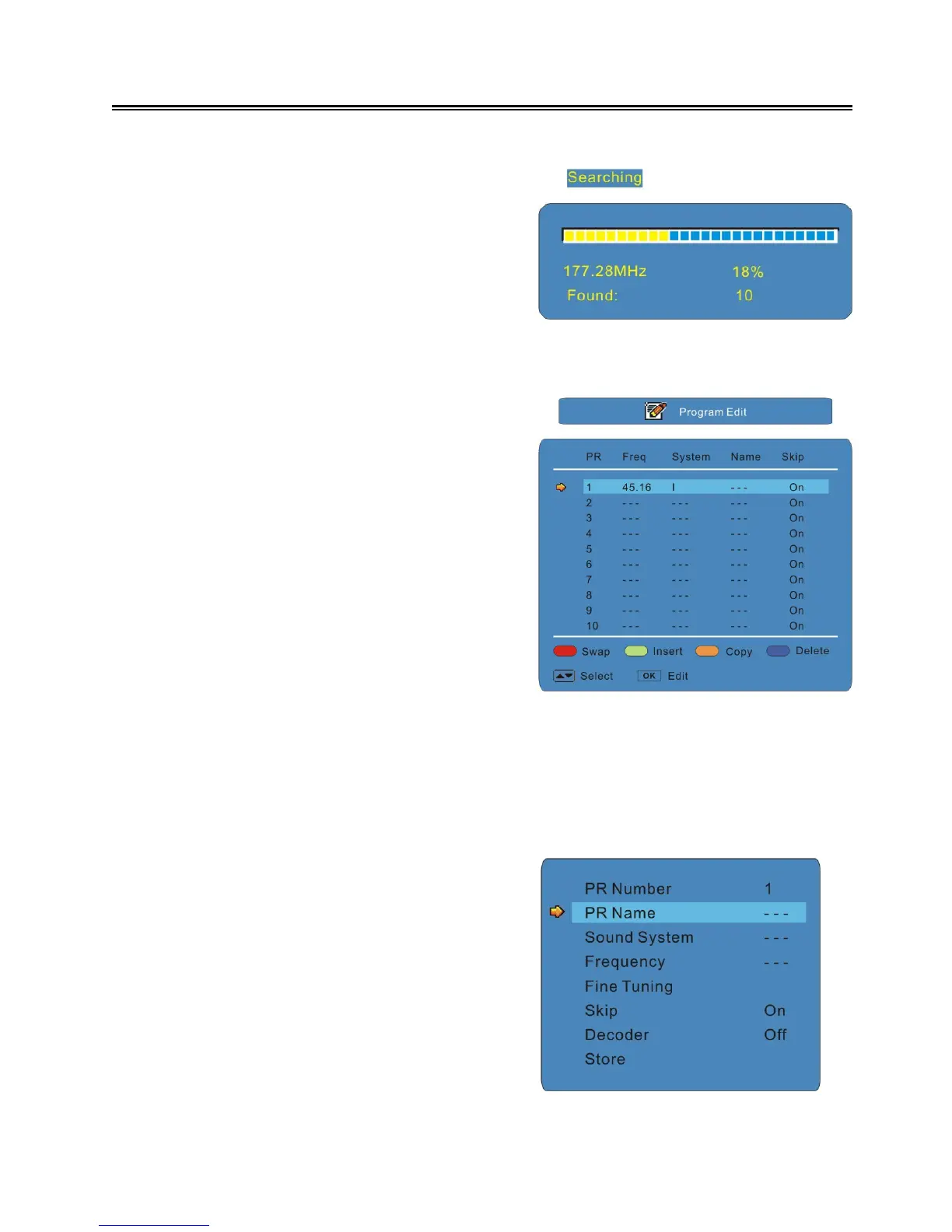
Press the OK or ► button to start update searching
and the search progress will display on the screen
as shown on the right:
Press the MENU button to stop searching and store
the searched program to the channel list.
Program Edit
Press the ▲▼ button to select Program Edit, press
the ► button to enter the menu as shown:
Use the four colour buttons on the remote control to
swap, insert, copy or delete a program.
Use the ▲▼buttons to select a program you want to
swap, insert, copy or delete.
Press a colour button you want and use the ▲▼
button to select the program you want to swap to,
insert before or copy to.
Press the OK button to confirm.
In the menu, Press the ▲▼ button to select the program you want to edit and press the OK button to
enter the edit menu.
Press the ◄ ► button to go to the previous/next page of the program list.
Press the EXIT button to exit the menu.
Program Edit Menu
In the menu, Press the ▲▼ button to select an
item.
Press the MENU button to return to the
previous menu. Press the EXIT button to exit
the menu.



 To Next Page