- 37 -
DVD System Setup
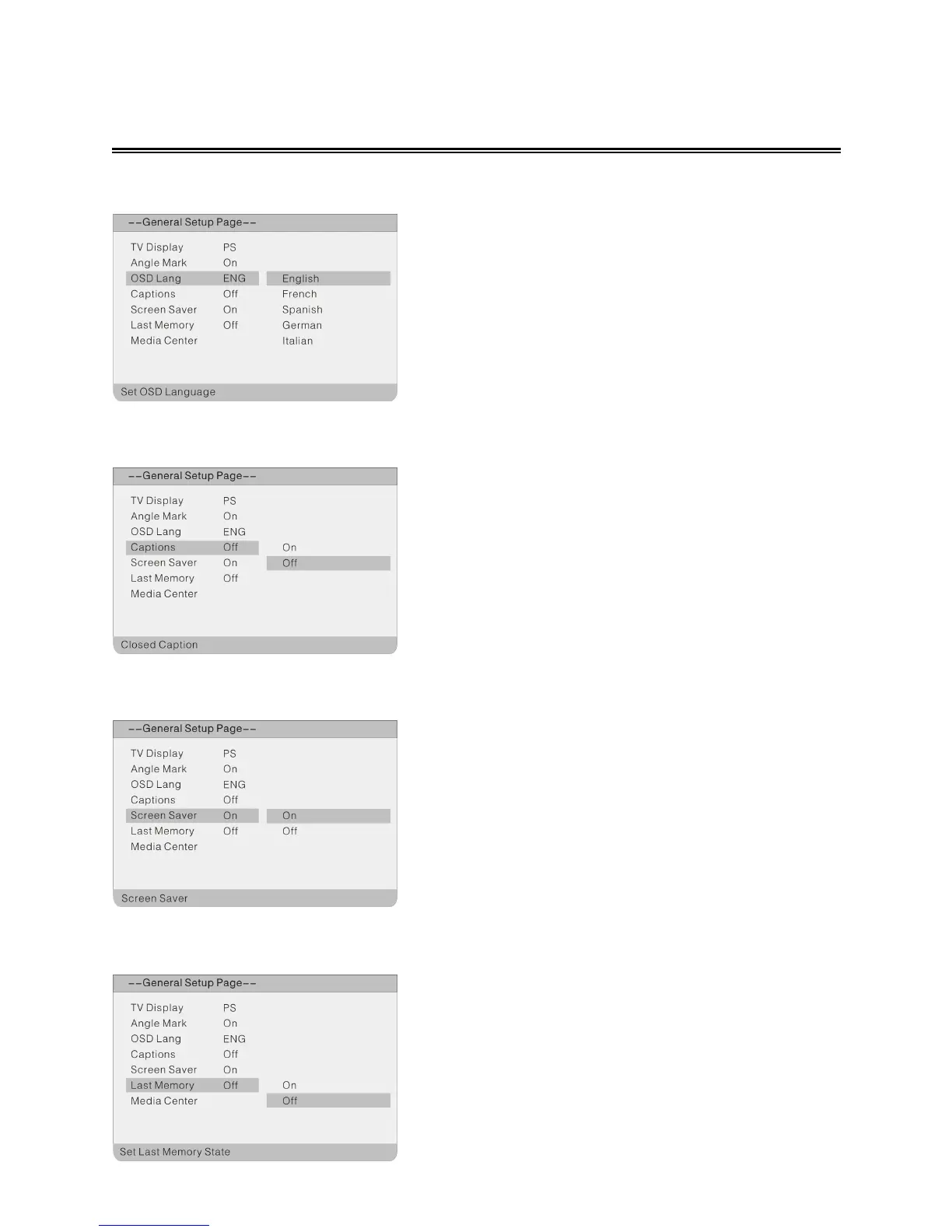
OSD Lang
Captions
Screen Saver
Last Memory
The item is used to select the OSD language.
1. Press the ▲▼ direction buttons to select OSD
Lang.
2.
Press the OK button to enter the setup.
3.
Use the ▲▼ direction buttons to select items.
4.
Press the OK button again to confirm the
selection and return.
1. Press the ▲▼ direction buttons to select
Screen Saver.
2.
Press the OK button to enter the setup.
3.
Use the ▲▼ direction buttons to select On or
Off.
4.
Press the OK button again to confirm the
selection and to return.
1. Press the ▲▼ direction buttons to select Last
Memory.
2. Press the OK button to enter the setup.
3. Use the ▲▼ direction buttons to select On or
Off.
4. Press the OK button again to confirm the
selection and return.
1. Press the ▲▼ direction buttons to select
Captions.
2.
Press the OK button to enter the setup.
3.
Use the ▲▼ direction buttons to select items.
4.
Press the OK button again to confirm the
selection and return.



 To Next Page