•Ifyourcomputerisoperating,makesurethatithasnishedanyoperationsinvolvingdevicesthatare
connectedtoaUSBconnector.AlsomakesurethatanyconnectiontoanEthernetconnectorhas
beendisconnected.
•ThefollowingillustrationsarefortheThinkPadMiniDockSeries3.Theprocedureisthesameforother
dockingstations.Forportreplicators,startwithstep2.
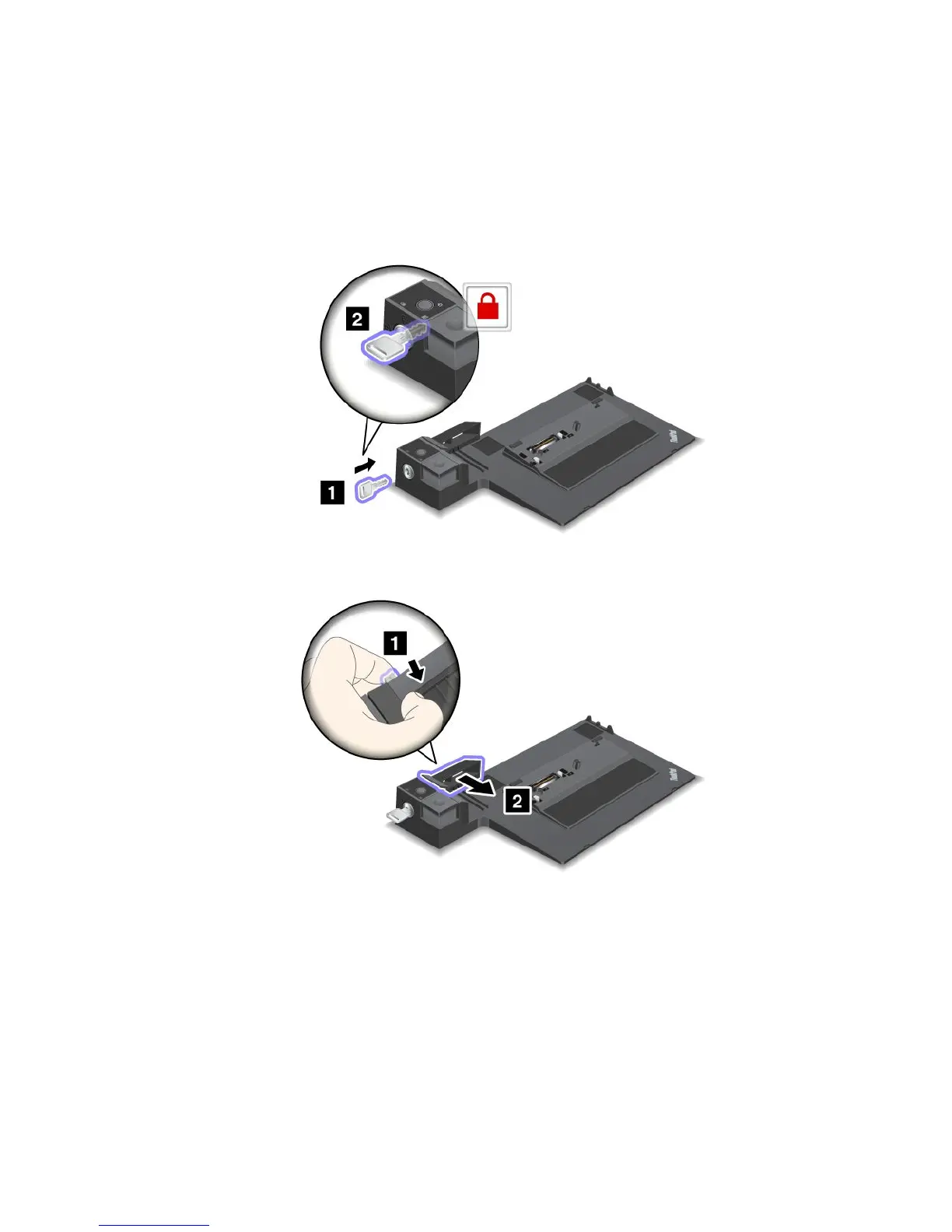
1.Makesurethatthesystemlockkeyisinplaceandintheunlocked(horizontal)position.
2.Pressandpulltheslidingadjusterasshown.
Chapter7.Enhancingyourcomputer107














 To Next Page