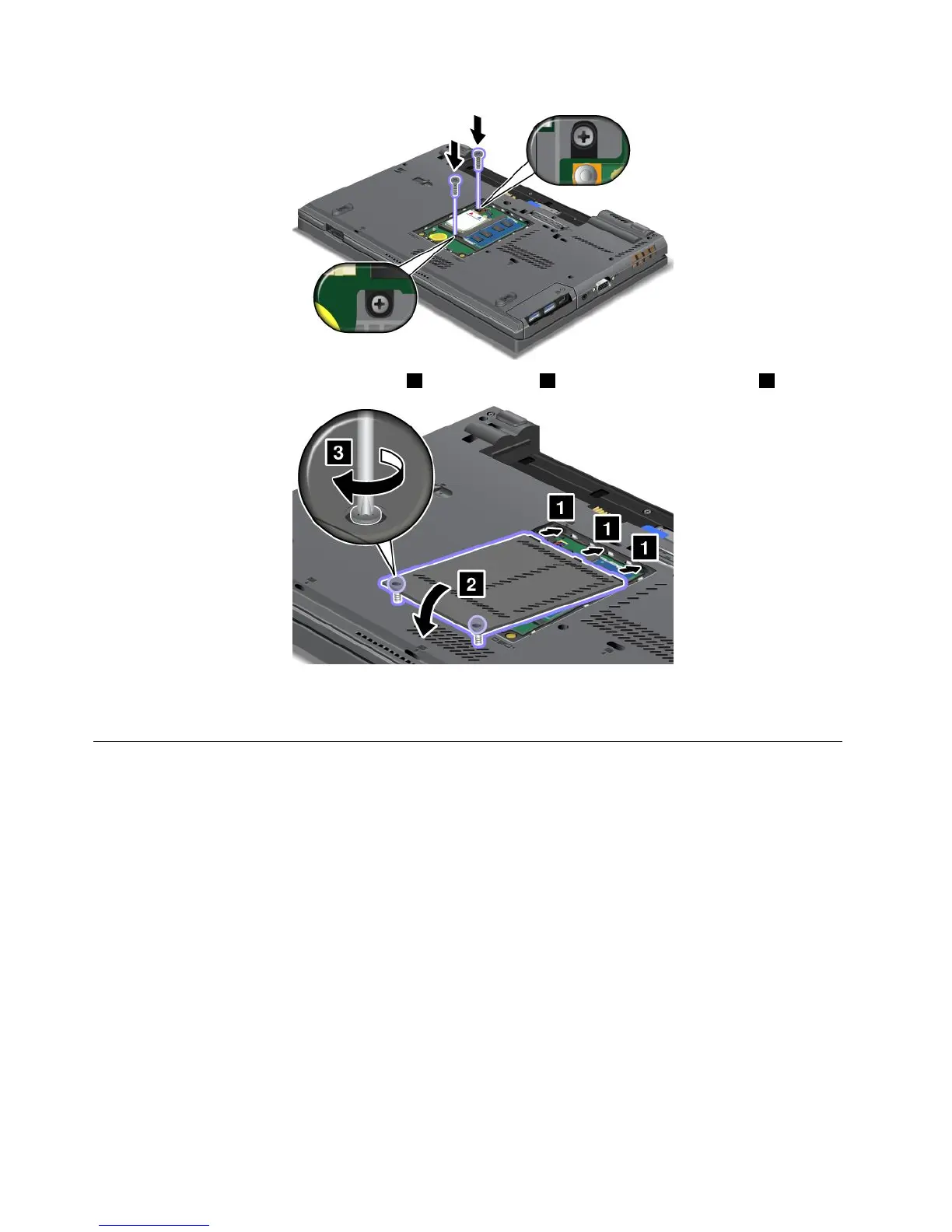
5.Putthememoryslotcoverbackinplace1,closethecover2,andthentightenthescrews3.
6.Reinstallthebattery.See“Replacingthebattery”onpage71.
7.Turnthecomputeroveragain.Reconnecttheacpoweradapterandallcables.
Replacingthememorymodule
Beforeyoustart,printtheseinstructions.
Increasingmemorycapacityisaneffectivewaytomakeprogramsrunfaster.Youcanincreasetheamount
ofmemoryinyourcomputerbyinstallingaadoubledataratethree(DDR3)synchronousdynamicrandom
accessmemory(SDRAM)unbufferedsmalloutlinedualinlinememorymodule(SO-DIMM),availableasan
option,inthememoryslotofthecomputer.
Whenreplacingthememory,besuretofollowtheprecautions.
Note:Theoperatingspeedofthememorymodulehasdependencyonthesystemconguration.Insome
conditions,thememoryinyourcomputermightnotbeabletooperateatthemaximumspeed.
Attention:Beforeyoustartinstallingamemorymodule,touchametaltableoragroundedmetalobject.This
actionreducesanystaticelectricityfromyourbody.Thestaticelectricitycoulddamagethememorymodule.
UseaPC3-12800DDR3synchronousDRAMunbufferedmemorymoduleinyourcomputer.Ifyouinstalla
memorymodulethatisnotsupportedbyyourcomputer,thecomputermightbeep,andthesystemmight
notstartormightnotworkproperly.YoucanpurchasetheappropriatememoryoptionfromyourLenovo
reselleroramarketingrepresentative.
82UserGuide














 To Next Page