4MiniDisplayPortconnector
UsetheMiniDisplayPortconnectortoconnectyourcomputertoacompatibleprojector,externalmonitor,or
high-denitiontelevision.
5USB3.0connectors
TheUSB3.0connectorsareusedforconnectingdevicescompatiblewithaUSBinterface,suchasa
USBprinteroradigitalcamera.
Note:TheUSB3.0functiononlyworksintheWindows7operatingsystem.IfyouareusingotherWindows
operatingsystemratherthanWindows7,theconnectorworksasaUSB2.0connector.
Bottomview
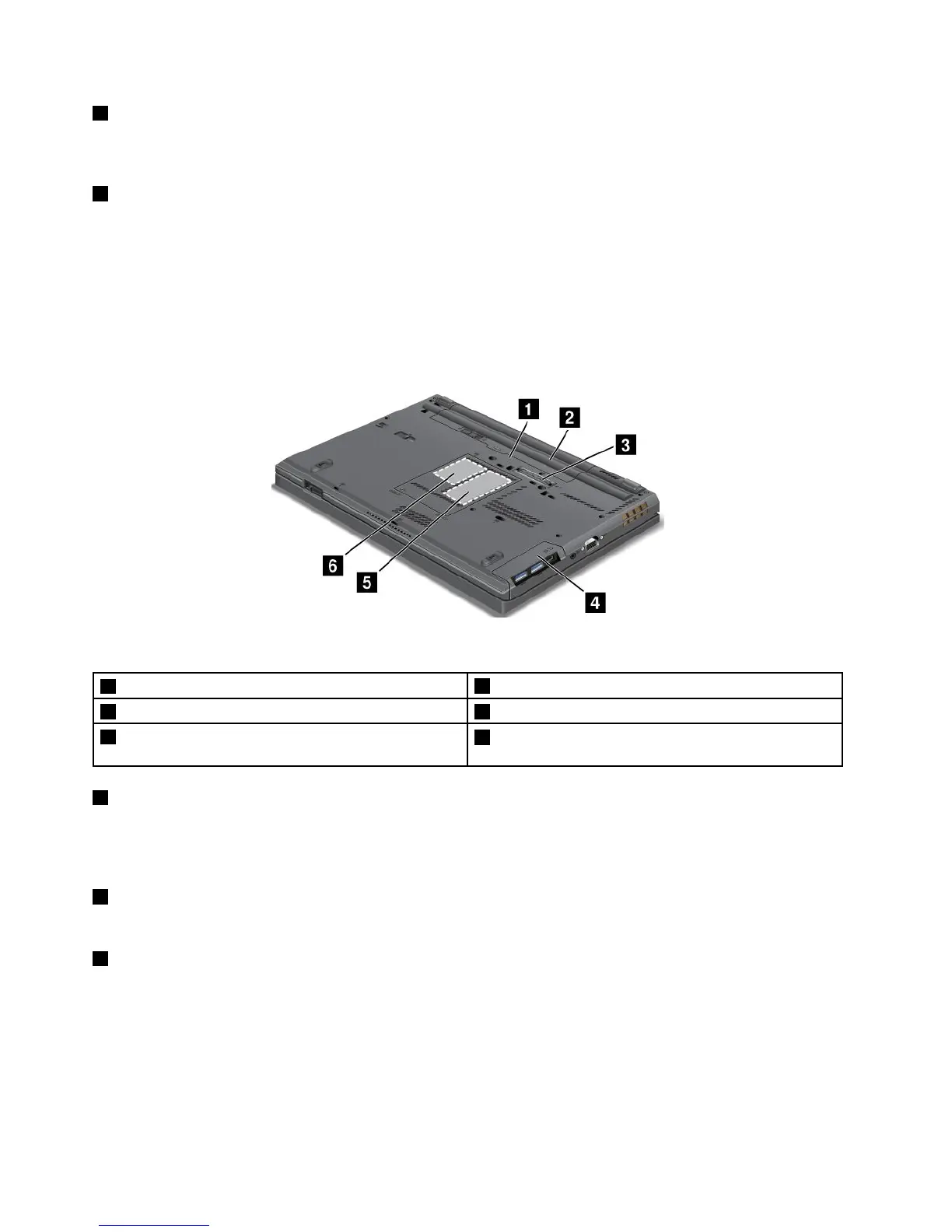
Figure4.ThinkPadT430andT430ibottomview
1SIMcardslot
2Battery
3Portreplicatorordockingstationconnector4Harddiskdriveorsolidstatedrive
5Memory-upgradeslot
6PCIExpressMiniCardslotforwirelessWANcardor
mSATAsolidstatedrive
1SIMcardslot
IfyourcomputerhasawirelessWANfeature,itmightrequireaSubscriberIdenticationModule(SIM)card
toestablishwirelessWANconnections.Dependingonthecountryofdelivery,theSIMcardmightbe
alreadyinstalledintheSIMcardslot.
2Battery
Useyourcomputerwiththebatterypowerwheneveracpowerisunavailable.
3Portreplicatorordockingstationconnector
Dependingonmodels,yourcomputermightsupportoneofthefollowingportreplicatorsordockingstations:
•ThinkPadPortReplicatorSeries3
•ThinkPadMiniDockSeries3
•ThinkPadMiniDockPlusSeries3
•ThinkPadMiniDockPlusforMobileWorkstationsSeries3(170W)
6UserGuide














 To Next Page