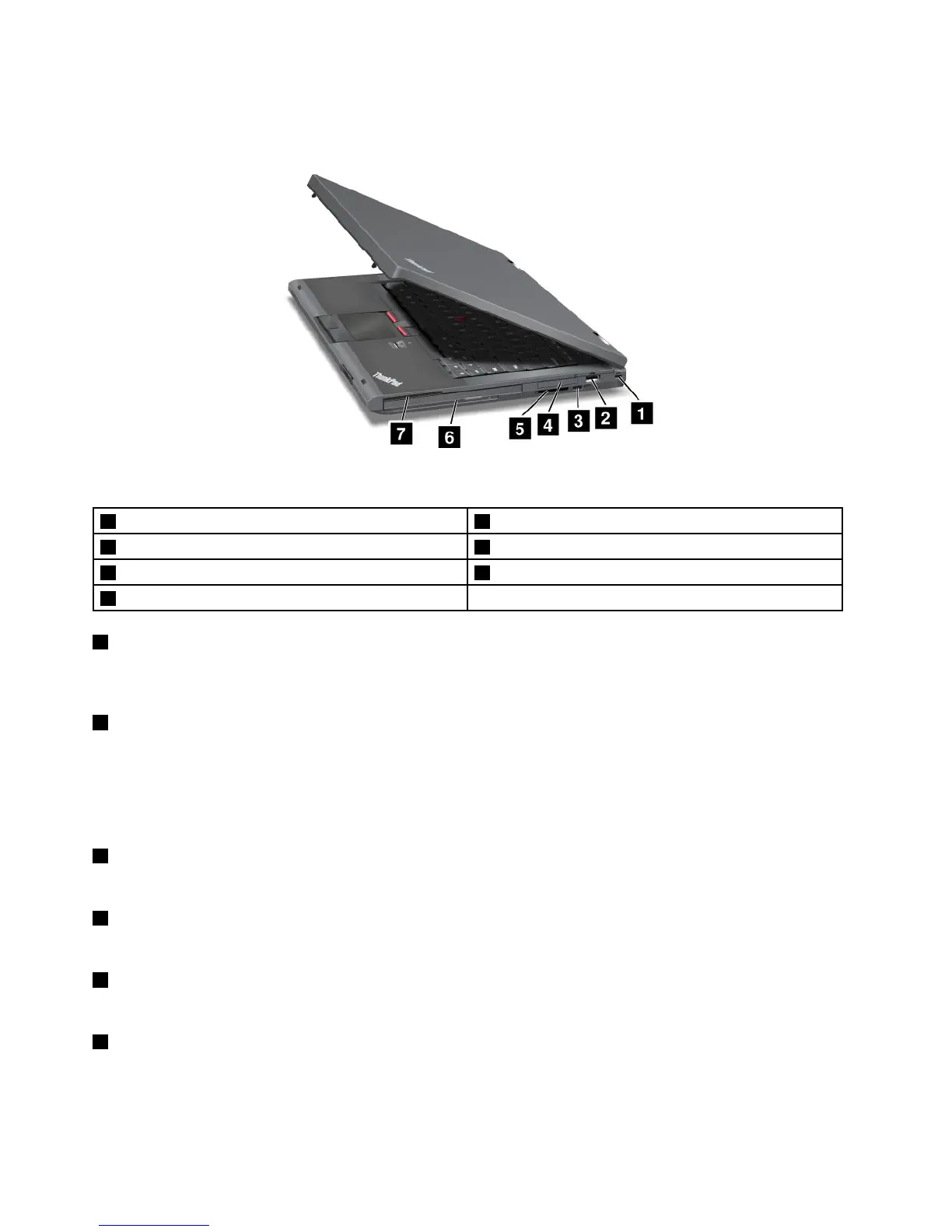
Right-sideview
Figure2.ThinkPadT430andT430iright-sideview
1Securitykeyhole2USB2.0connector
3Wirelessradioswitch
4ExpressCardslot
5Mediacardreaderslot
6SerialUltrabay™enhancedbay
7Smartcardslot
1Securitykeyhole
Purchaseasecuritycablelockthattsthiskeyholetolockyourcomputertoastationaryobjecttoprotect
yourcomputerfromtheft.
2USB2.0connector
TheUSB2.0connectorisusedforconnectingdevicescompatiblewithaUSBinterface,suchasaUSB
printeroradigitalcamera.
Note:WhenyouattachaUSBcabletotheconnector,makesurethattheUSBmarkisfacingupward.
Otherwisetheconnectormightbedamaged.
3Wirelessradioswitch
Usethisswitchtoquicklyturnonorturnoffallwirelessconnections.
4ExpressCardslot
YourcomputerhasanExpressCardslotfora34mm-wideExpressCard.
5Mediacardreaderslot
Dependingonthemodel,yourcomputermighthaveamediacardreaderslot.
6SerialUltrabayenhancedbay
YourcomputerhasabayforSerialUltrabayEnhanceddevices.Somemodelshaveanopticaldiskdrive
installedinthebay.Forcertainmodels,a9.5mmharddiskdriveisinstalledthroughtheThinkPad12.7
mmSerialHardDriveBayAdapterIII.
4UserGuide














 To Next Page