Connectyourcomputertothesupporteddockingstationtoextendthecomputercapabilitieswhenyou
areinyourofceorathome.
4Harddiskdriveorsolidstatedrive
Dependingonmodels,yourcomputermighthavealarge-capacity,customer-upgradableharddiskdrive
thatcanmeetavarietyofstoragedemands.
Ifyouwish,youcanpurchaseanotherharddiskdriveandinstallitintheSerialUltrabayEnhancedbay.
Somemodelsareequippedwithasolidstatedrivefordatastorage,makingyourcomputerlighter,smaller,
andfaster.
Note:Thehiddenservicepartitionisthereasonwhythereislessfreespacethanexpectedonyourhard
diskdriveorsolidstatedrive.Thisreductionismorenoticeableonthesolidstatedrivebecauseofits
smallercapacity.
5Memory-upgradeslot
Youcanincreasetheamountofmemoryinyourcomputerbyinstallingamemorymoduleinthe
memory-upgradeslot.MemorymodulesareavailableasoptionsfromLenovo.
6PCIExpressMiniCardslotforwirelessWANcardormSATAsolidstatedrive
Yourcomputermighthaveawirelesswideareanetwork(WAN)cardinstalledinthePCIExpressMini
CardslotforwirelessWANconnections.
Forsomemodels,anmSATAsolidstatedrivemightbeinstalledinsteadofthewirelessWANcard.
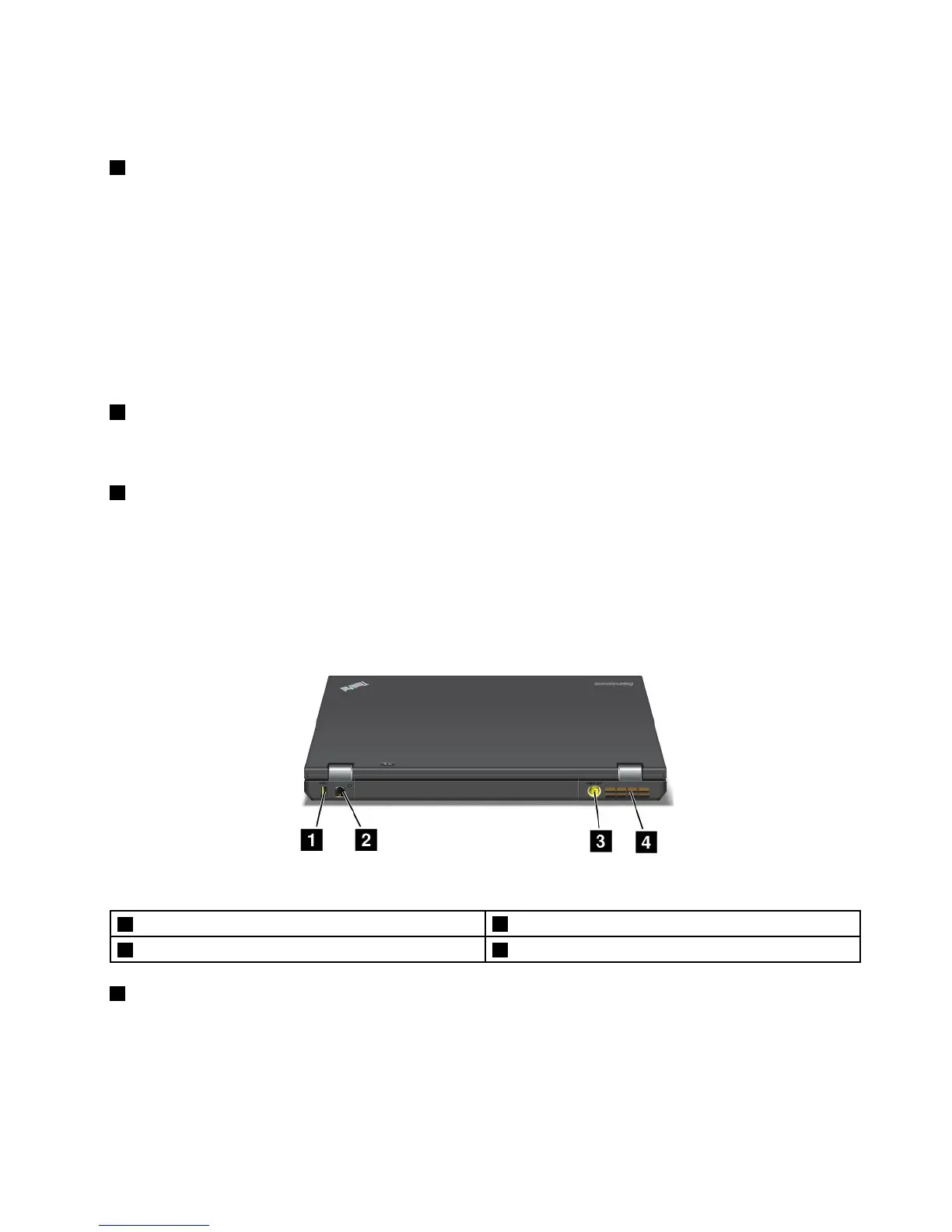
Rearview
Figure5.ThinkPadT430andT430irearview.
1AlwaysOnUSBconnector
2Ethernetconnector
3Powerjack
4Fanlouvers(rear)
1AlwaysOnUSBconnector
Bydefault,theAlwaysOnUSB2.0connectorenablesyoutochargesomedevices,suchasiPod
®
,iPhone,
andBlackBerry
®
smartphones,evenwhenyourcomputerisinsleep(standby)mode.
Ifyouwanttochargethesedeviceswhenyourcomputeristurnedoff,dothefollowing:
1.Connectthecomputertoanacpowersupply.
Chapter1.Productoverview7














 To Next Page