•Neverremovethedrivewhilethesystemisoperating,insleepmode,orinhibernationmode.
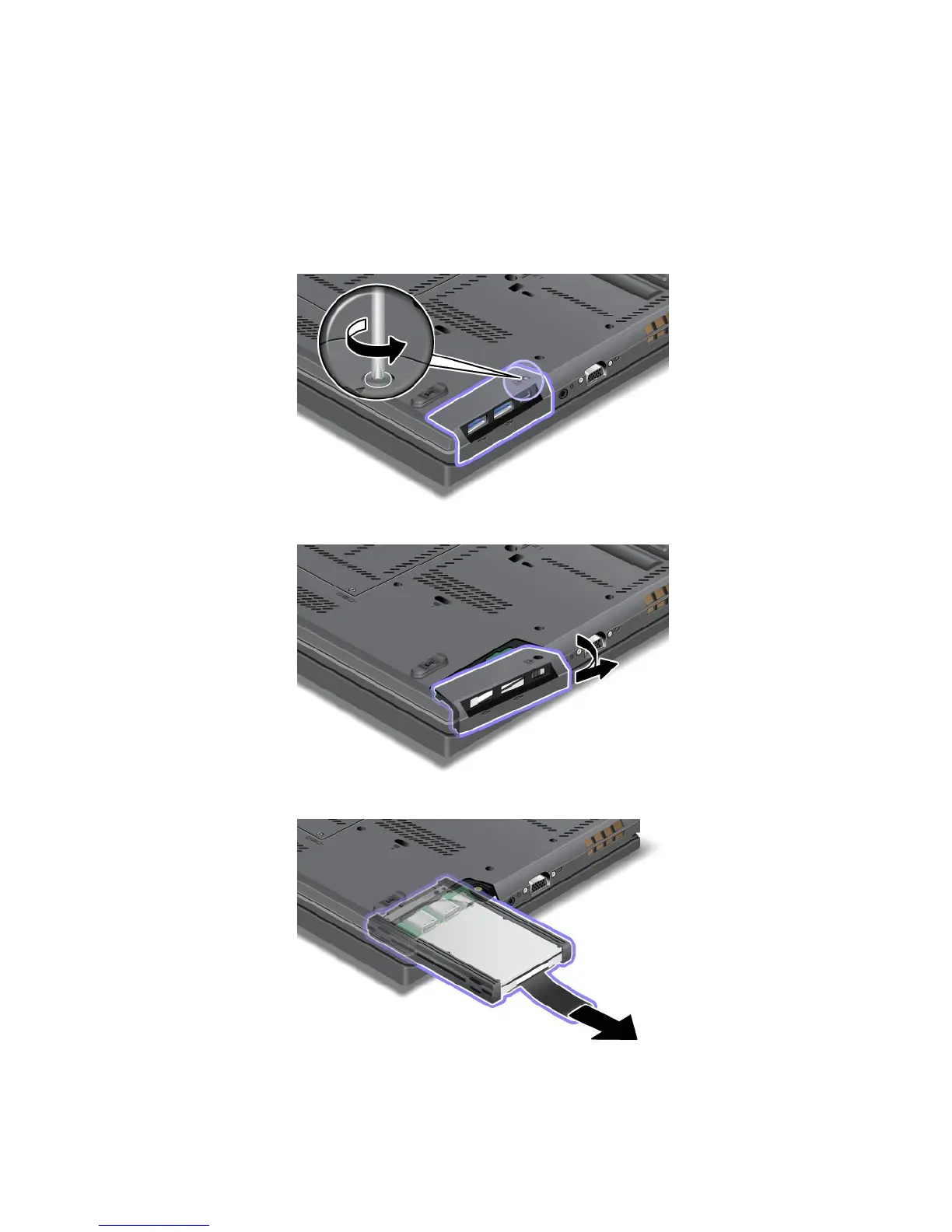
Toreplacetheharddiskdriveorsolidstatedrive,dothefollowing:
1.Turnoffthecomputer;thendisconnecttheacpoweradapterandallcablesfromthecomputer.
2.Closethecomputerdisplay,andturnthecomputerover.
3.Removethebattery.See“Replacingthebattery”onpage71.
4.Loosenthescrewthatsecuresthecoveroftheslot.
5.Removetheslotcover.
6.Removetheharddiskdriveorsolidstatedrivebypullingoutthetab.
7.Detachthesiderubberrailsfromtheharddiskdriveorthesidespacerrailsfromthesolidstatedrive.
76UserGuide














 To Next Page