14eSATAconnector29Systemfanconnector
15SATAconnectors1to4(SATA3.0connector)30Coverpresenceswitchconnector(Intrusionswitch
connector)
Locatinginternaldrives
Internaldrivesaredevicesthatyourcomputerusestoreadandstoredata.Youcanadddrivestoyour
computertoincreasestoragecapacityandenableyourcomputertoreadothertypesofmedia.Internal
drivesareinstalledinbays.
Wheninstallingorreplacinganinternaldrive,itisimportanttonotethetypeandsizeofthedrivethatyou
caninstallorreplaceineachbayandcorrectlyconnectthecablestothedriveinstalled.Refertothe
appropriatesectionin“Installingorreplacinghardware”onpage31
forinstructionsonhowtoinstallor
replaceinternaldrivesforyourcomputer.
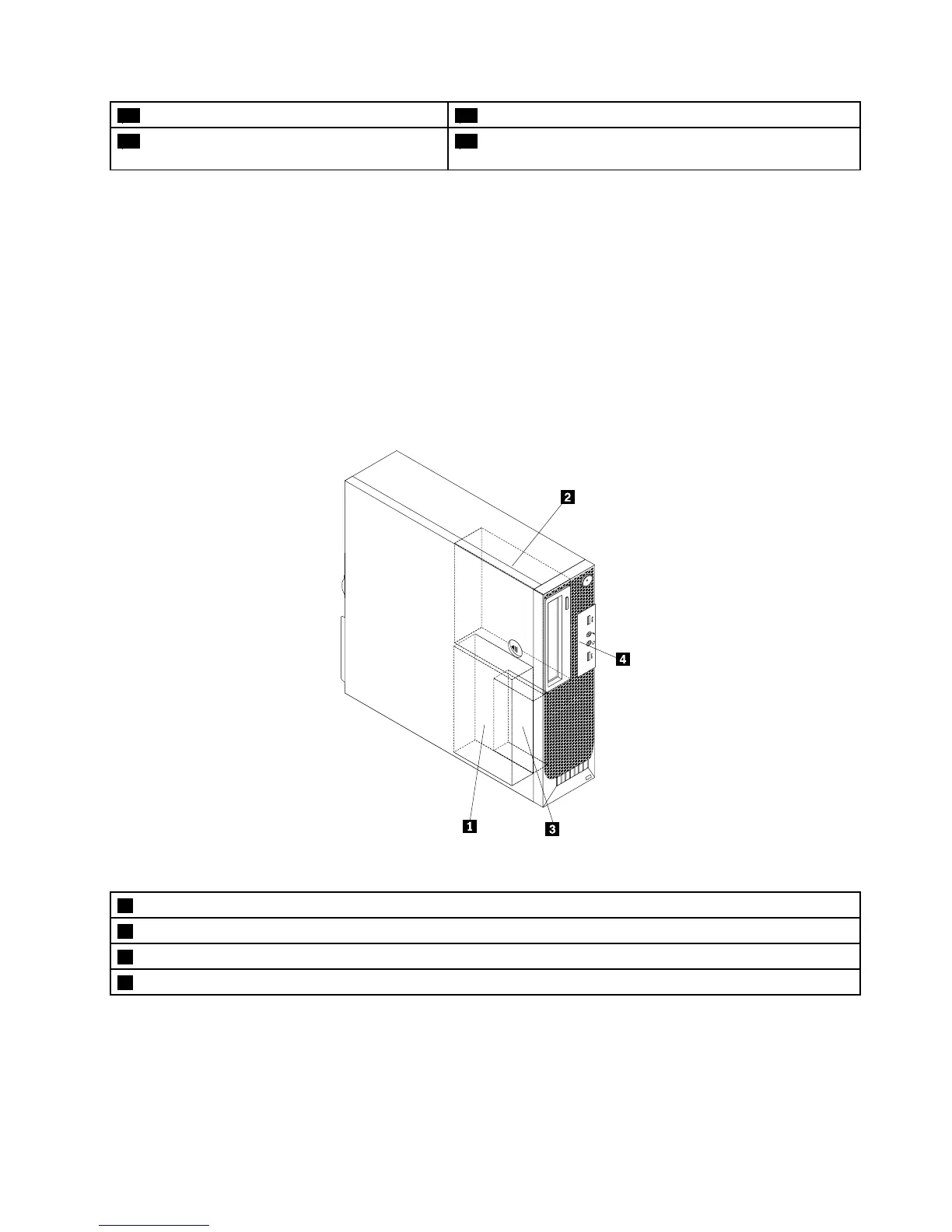
Figure5“Drivebaylocations”onpage13showsthelocationsofthedrivebays.
Figure5.Drivebaylocations
1Bay1-PrimarySATAharddiskdrivebay(witha3.5-inchharddiskdriveora2.5-inchsolid-statediskinstalled)
2Bay2-Opticaldrivebay(withanopticaldriveinstalled)
3Bay3-SecondarySATAharddiskdrivebay(witha2.5-inchharddiskdriveora2.5-inchsolid-statediskinstalled)
4Bay4-Cardreaderdrivebay
Chapter1.Productoverview13











 To Next Page