Replacingtheopticaldrive
Attention:
Donotopenyourcomputerorattemptanyrepairbeforereadingandunderstandingthe“Importantsafetyinformation”
onpagev
.
Thissectionprovidesinstructionsonhowtoreplacetheopticaldrive.
Toreplacetheopticaldrive,dothefollowing:
1.Turnoffthecomputeranddisconnectallpowercordsfromelectricaloutlets.
2.Removethecomputercover.See“Removingthecomputercover”onpage32.
3.Removethefrontbezel.See“Removingandreinstallingthefrontbezel”onpage32.
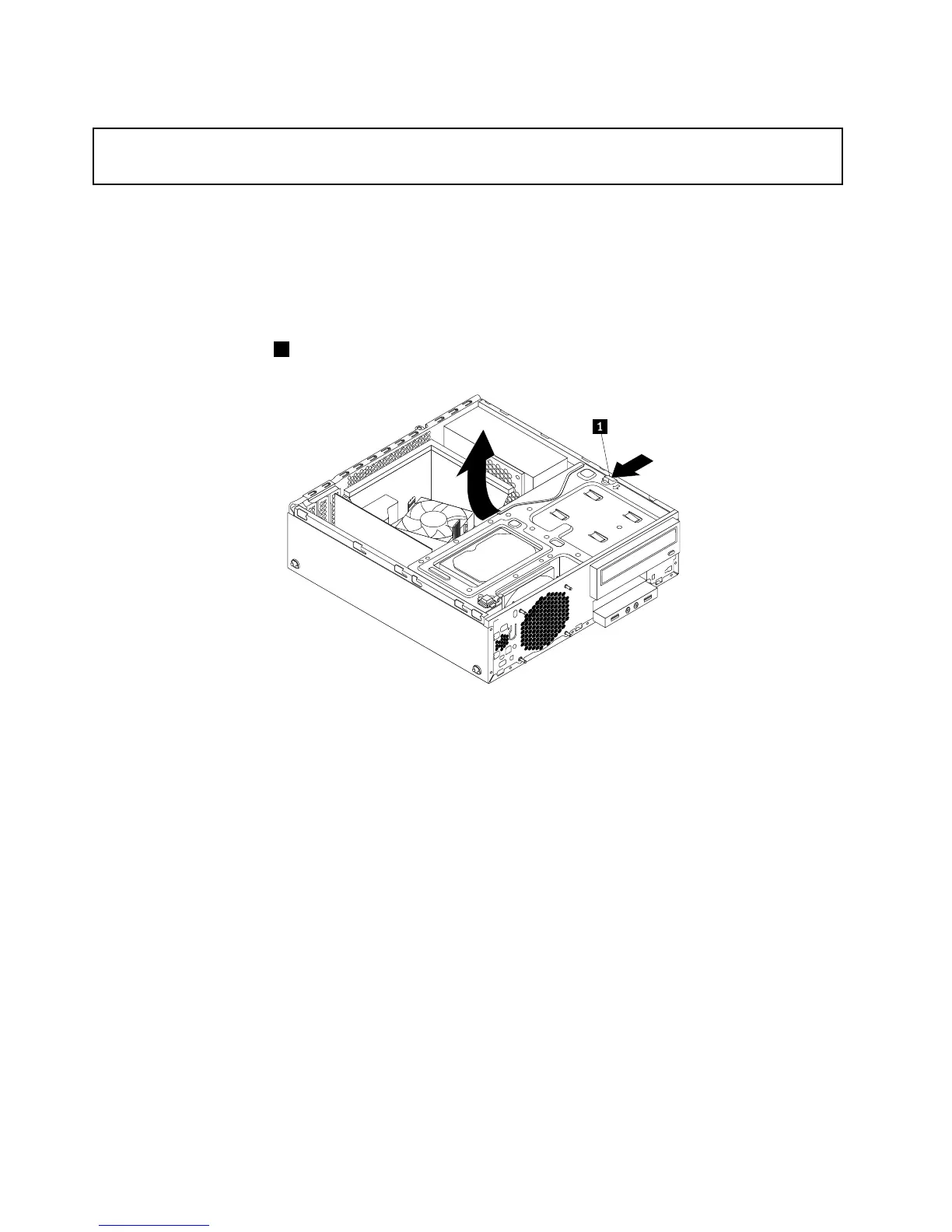
4.Pressthereleasetab1asshownandpivotthedrivebayassemblyupward.
Figure56.Pivotingthedrivebayassemblyupward
5.Disconnectthesignalcableandthepowercablefromtherearoftheopticaldrive.
60ThinkStationE32UserGuide











 To Next Page