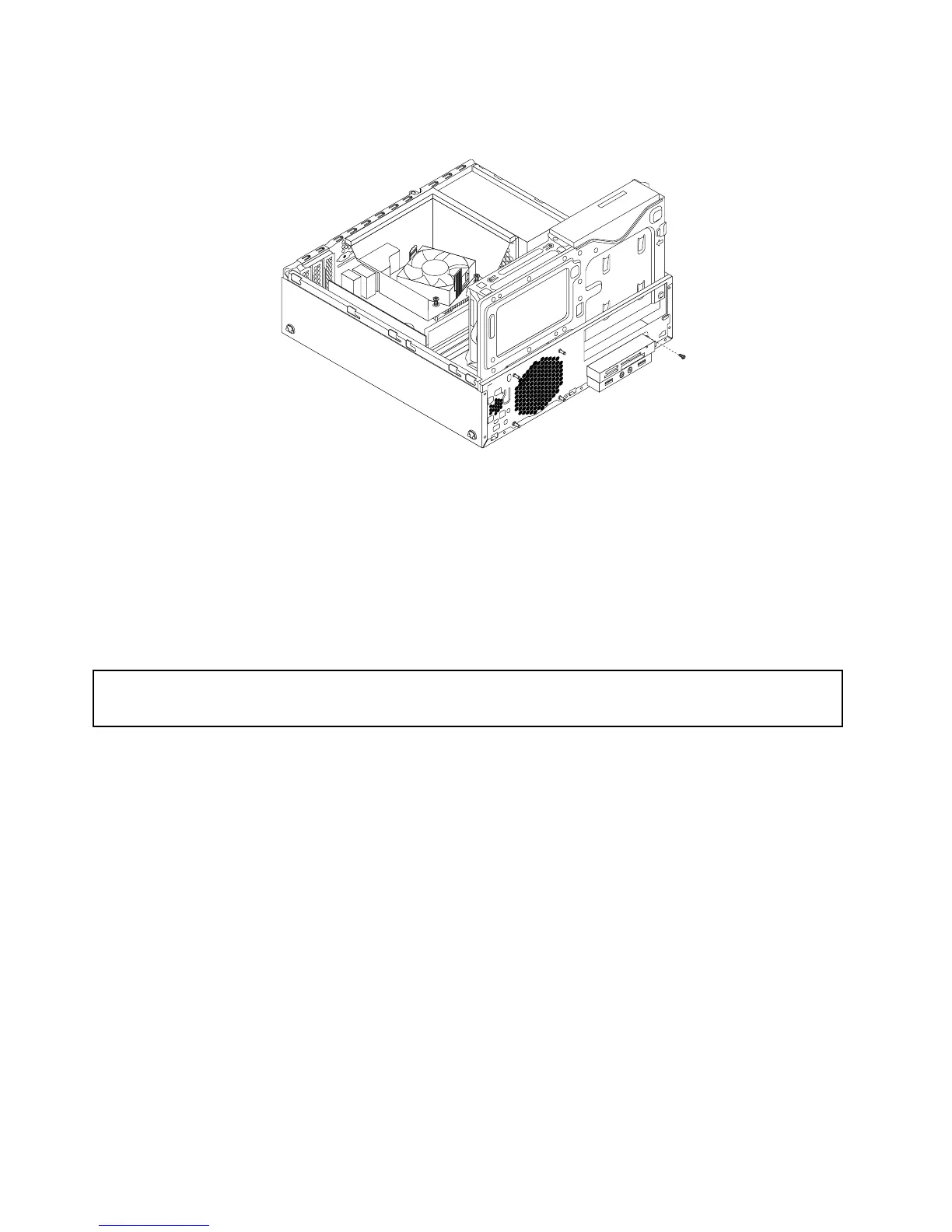
8.Installthescrewtosecurethecardreaderbrackettothechassis.
Figure21.Installingthescrewthatsecuresthecardreader
9.ConnectthecardreadercabletoFrontUSBconnectorsonthesystemboard.See“Locatingpartson
thesystemboard”onpage12.
Whattodonext:
•Toworkwithanotherpieceofhardware,gototheappropriatesection.
•Tocompletetheinstallationorreplacement,goto“Completingthepartsreplacement”onpage93.
Replacingthecardreader
Attention:
Donotopenyourcomputerorattemptanyrepairbeforereadingandunderstandingthe“Importantsafetyinformation”
onpagev
.
Toreplacethecardreader,dothefollowing:
1.Removeallmediafromthedrivesandturnoffallattacheddevicesandthecomputer.Then,disconnect
allpowercordsfromelectricaloutletsanddisconnectallcablesthatareconnectedtothecomputer.
2.Removethecomputercover.See“Removingthecomputercover”onpage32.
3.Removethefrontbezel.See“Removingandreinstallingthefrontbezel”onpage32.
4.Locatethecardreaderdrivebay.See“Locatinginternaldrives”onpage13.
40ThinkStationE32UserGuide











 To Next Page