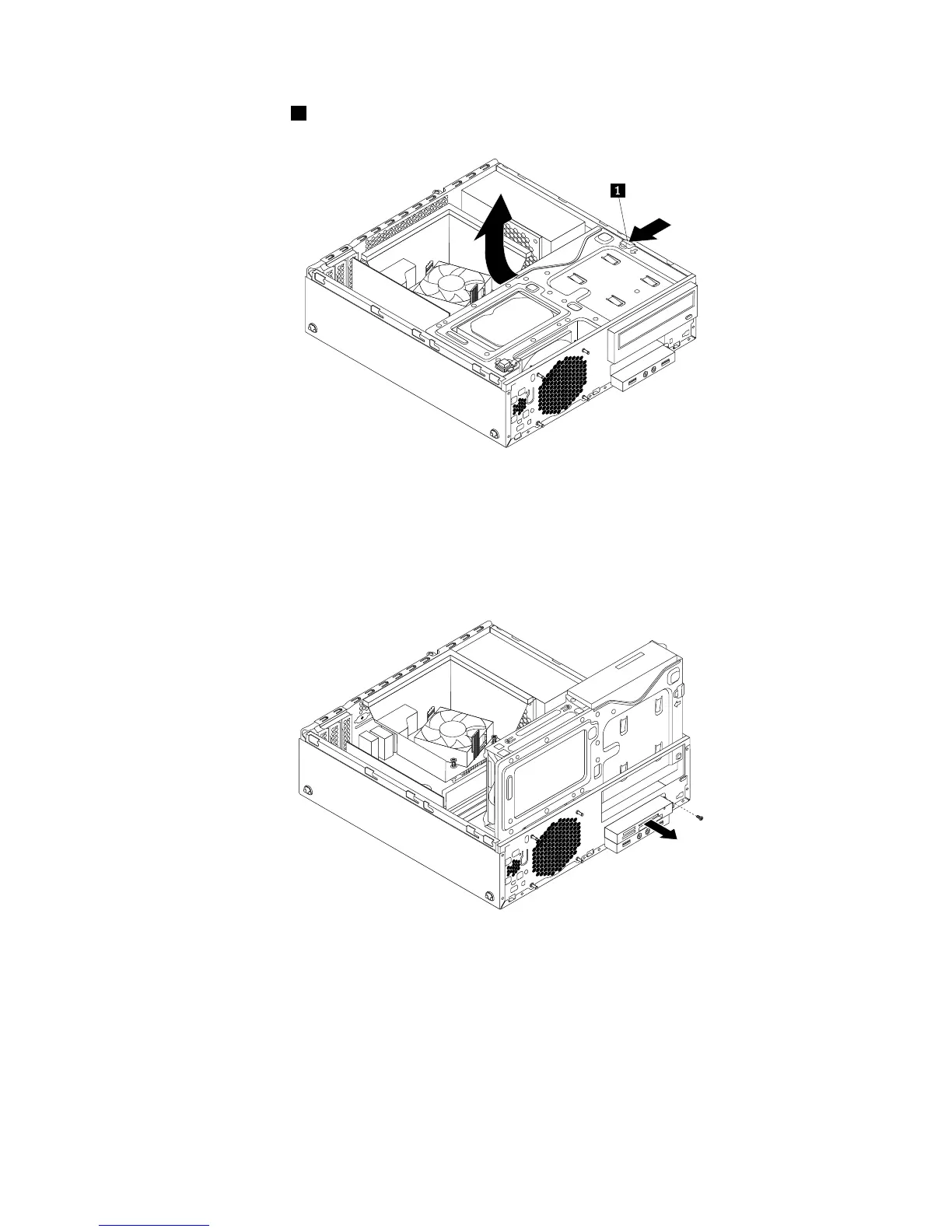
5.Pressthereleasetab1asshownandpivotthedrivebayassemblyupward.
Figure22.Pivotingthedrivebayassemblyupward
6.DisconnectthecardreadercablefromtheUSBconnectoronthesystemboard.See“Locatingpartson
thesystemboard”onpage12.
7.Removethescrewthatsecuresthecardreaderbracket.Then,removethecardreaderbracketfrom
thechassis.
Figure23.Removingthescrewthatsecuresthecardreader
8.Removethetwoscrewsthatsecurethecardreadertoitsbracket.Thenremovethefailingcardreader
fromthebracket.
9.Installanewcardreaderintothebracketandinstallthetwoscrewstosecurethecardreadertothe
bracket.
Chapter5.Installingorreplacinghardware41











 To Next Page