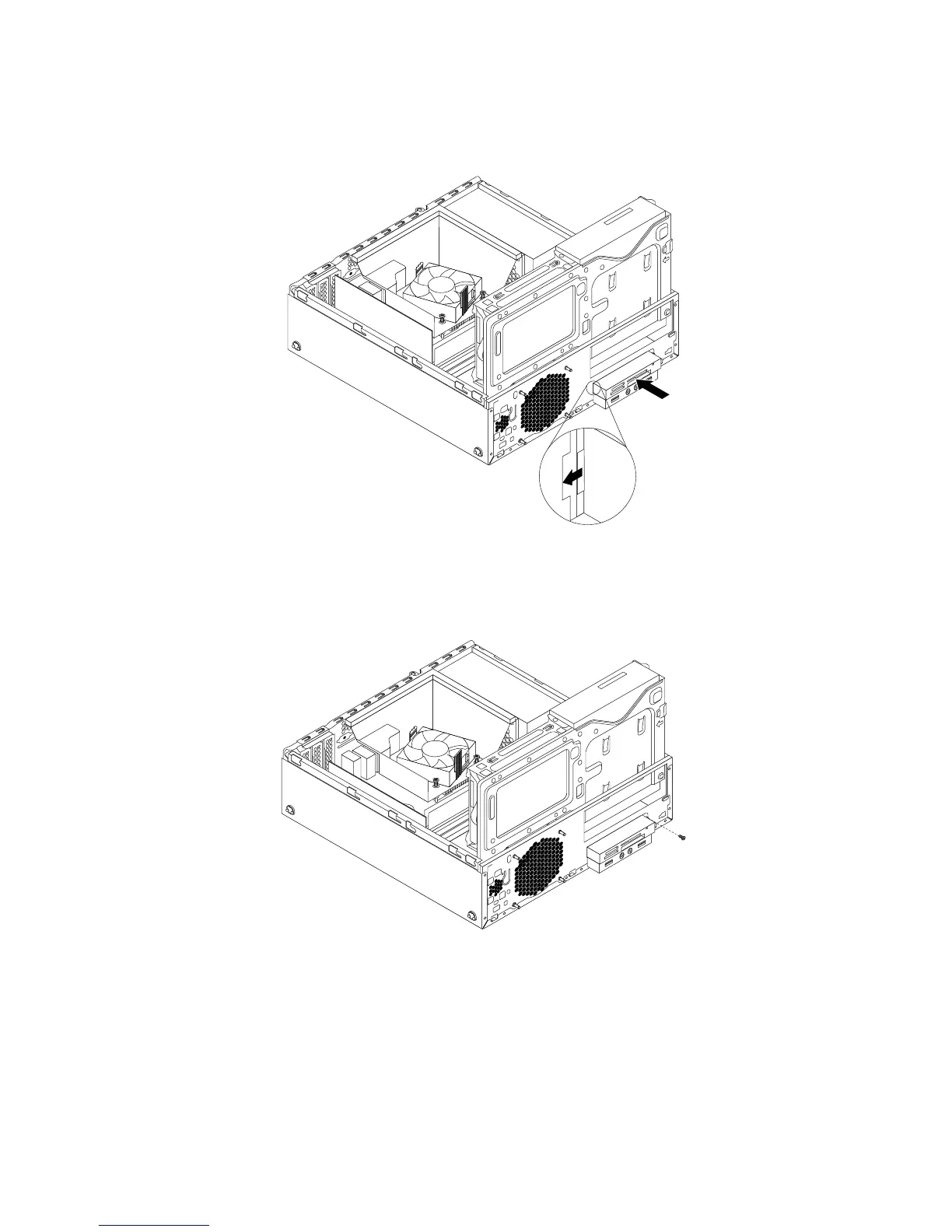
10.Installthecardreaderbrackettothechassis.Thenpushthebrackettothelefttoalignthescrewholein
thebracketwiththecorrespondingholeinthechassis.
Figure24.Installingthecardreader
11.Installthescrewtosecurethecardreaderbrackettothechassis.
Figure25.Installingthescrewthatsecuresthecardreader
12.ReconnectthecardreadercabletooneoftheUSBconnectorsonthesystemboard.See“Locating
partsonthesystemboard”onpage12
.
Whattodonext:
•Toworkwithanotherpieceofhardware,gototheappropriatesection.
•Tocompletetheinstallationorreplacement,goto“Completingthepartsreplacement”onpage93.
42ThinkStationE32UserGuide











 To Next Page