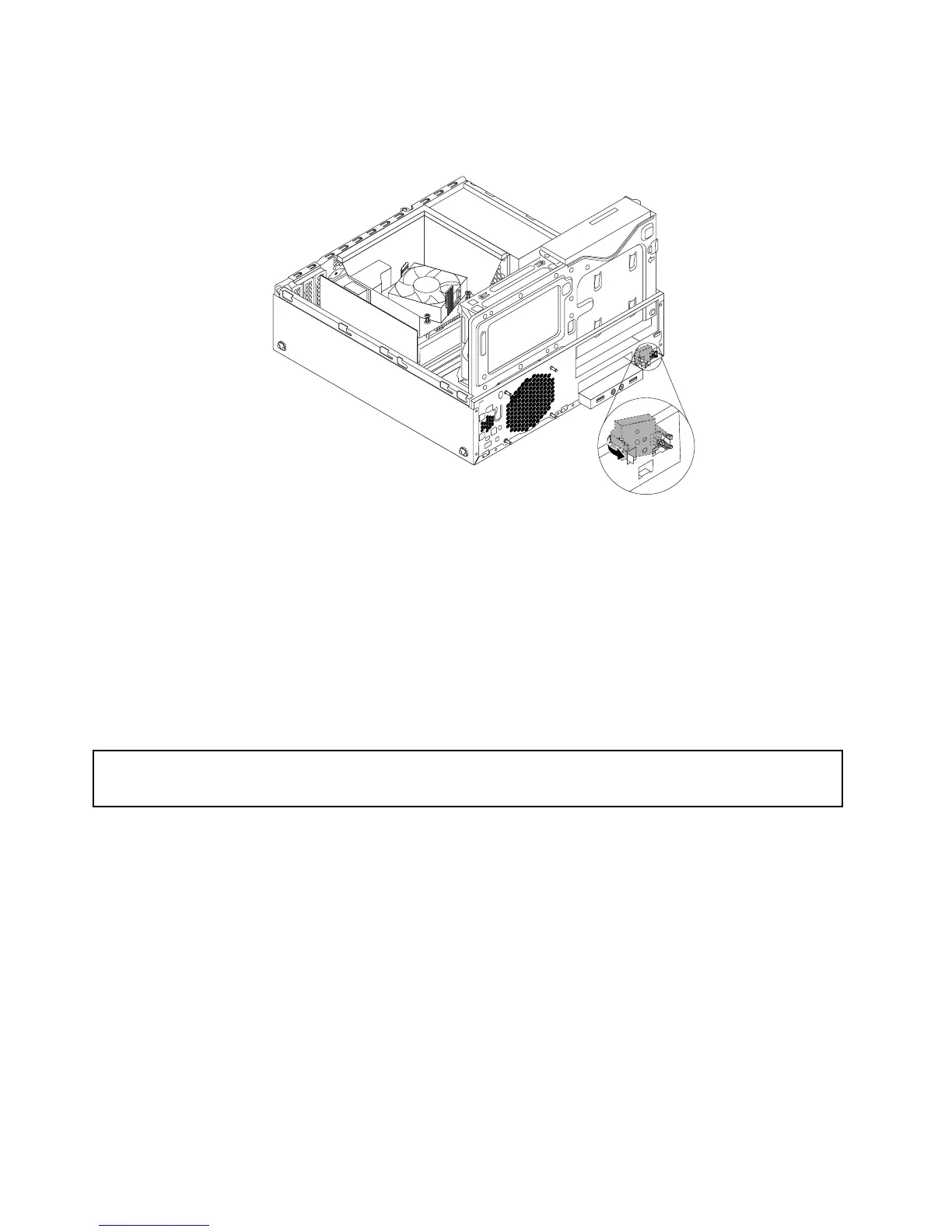
8.Insertthetwoplastictabsinthenewpowerswitchthroughtheholeonthechassis,andthenpressthe
powerswitchasshownuntilitsnapsintoposition.
Figure88.Installingthenewpowerswitch
9.Reconnectthepowerswitchcabletothesystemboard.See“Locatingpartsonthesystemboard”
onpage12.
10.Reinstallthefrontbezel.See“Removingandreinstallingthefrontbezel”onpage32.
Whattodonext:
•Toworkwithanotherpieceofhardware,gototheappropriatesection.
•Tocompletetheinstallationorreplacement,goto“Completingthepartsreplacement”onpage93.
ReplacingtheWi-Fiunits
Attention:
Donotopenyourcomputerorattemptanyrepairbeforereadingandunderstandingthe“Importantsafetyinformation”
onpagev
.
ThissectionprovidesinstructionsonhowtoreplacetheWi-Fiunits.TheWi-FiunitsincludeaWi-Fiadapter
card,aWi-Ficardmodule,andarearWi-Fiantennacable.
ReplacingtheWi-Fiunitsinvolvesthefollowingoperations:
•“RemovingtheWi-Fiadaptercard”onpage82
•“RemovingtheWi-Ficardmodule”onpage84
•“InstallingtheWi-Fiunits”onpage85
RemovingtheWi-Fiadaptercard
ToremoveaWi-Fiadaptercard,dothefollowing:
1.Turnoffthecomputeranddisconnectallpowercordsfromelectricaloutlets.
2.Removethecomputercover.See“Removingthecomputercover”onpage32.
82ThinkStationE32UserGuide











 To Next Page