Whattodonext:
•Toworkwithanotherpieceofhardware,gototheappropriatesection.
•Tocompletetheinstallationorreplacement,goto“Completingthepartsreplacement”onpage93.
Installingthesolid-statedrive
Attention:
Donotopenyourcomputerorattemptanyrepairbeforereadingandunderstandingthe“Importantsafetyinformation”
onpagev.
Thissectionprovidesinstructionsonhowtoinstallthe2.5-inchsolid-statedrive.
Toinstallthesolid-statedrive,dothefollowing:
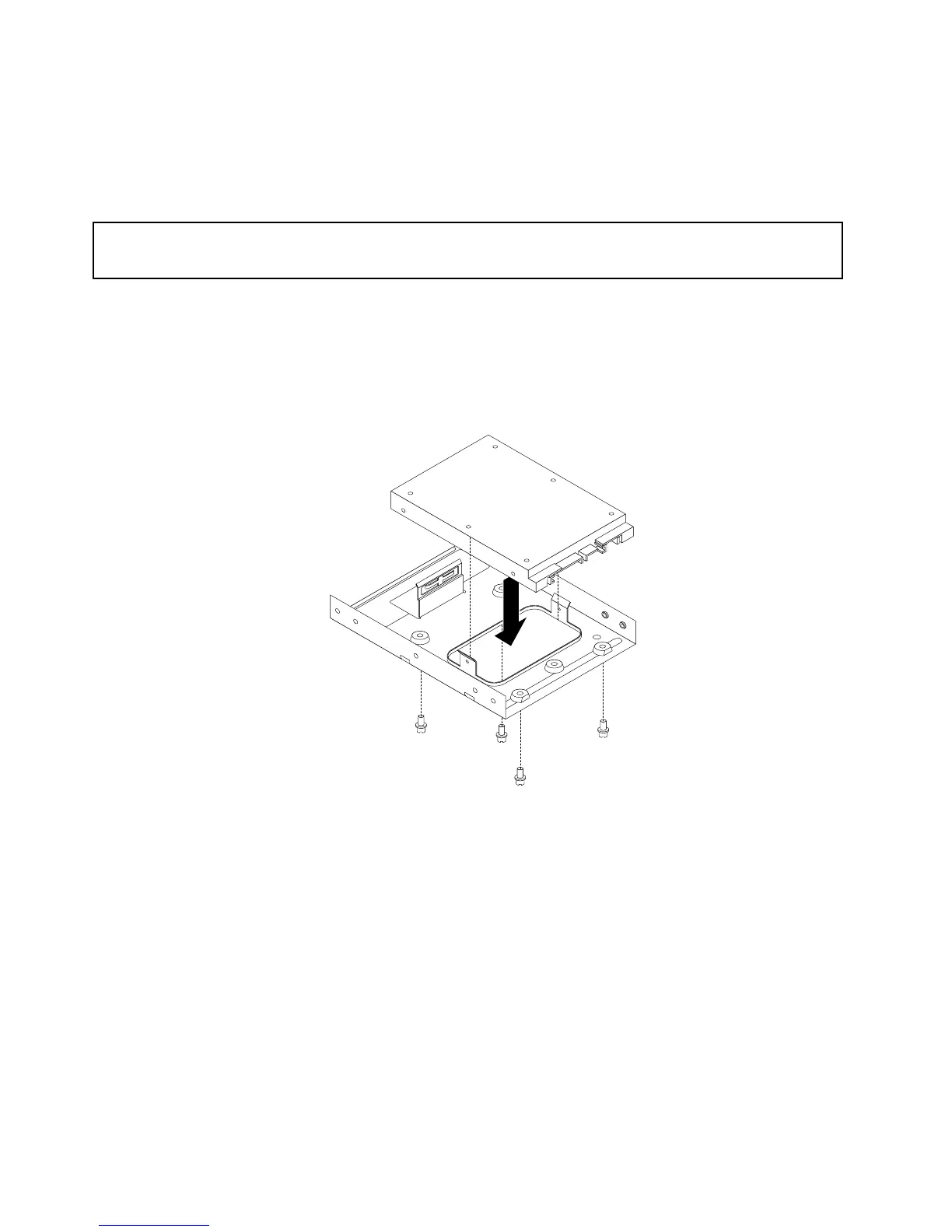
1.Installthesolid-statedriveintothestorageconverter.Then,installthefourscrewstosecurethe
solid-statedrivetothestorageconverter.
Figure28.Installingthesolid-statedriveintothestorageconverter
44ThinkStationE32UserGuide











 To Next Page