•Tocompletetheinstallationorreplacement,goto“Completingthepartsreplacement”onpage93.
Replacingthethermalsensor
Attention:
Donotopenyourcomputerorattemptanyrepairbeforereadingandunderstandingthe“Importantsafetyinformation”
onpagev.
Thissectionprovidesinstructionsonhowtoreplacethethermalsensor.
Toreplacethethermalsensor,dothefollowing:
1.Turnoffthecomputeranddisconnectallpowercordsfromelectricaloutlets.
2.Removethecomputercover.See“Removingthecomputercover”onpage32.
3.Removethefrontbezel.See“Removingandreinstallingthefrontbezel”onpage32.
4.Locatethethermalsensor.See“Locatingcomponents”onpage11.
5.Disconnectthethermalsensorcablefromthethermalsensorconnectoronthesystemboard.See
“Locatingpartsonthesystemboard”onpage12.
6.Removethecoverpresenceswitch(intrusionswitch).See“Replacingthecoverpresenceswitch”
onpage72.
7.Removetheinternalspeaker.See“Replacingtheinternalspeaker”onpage73.
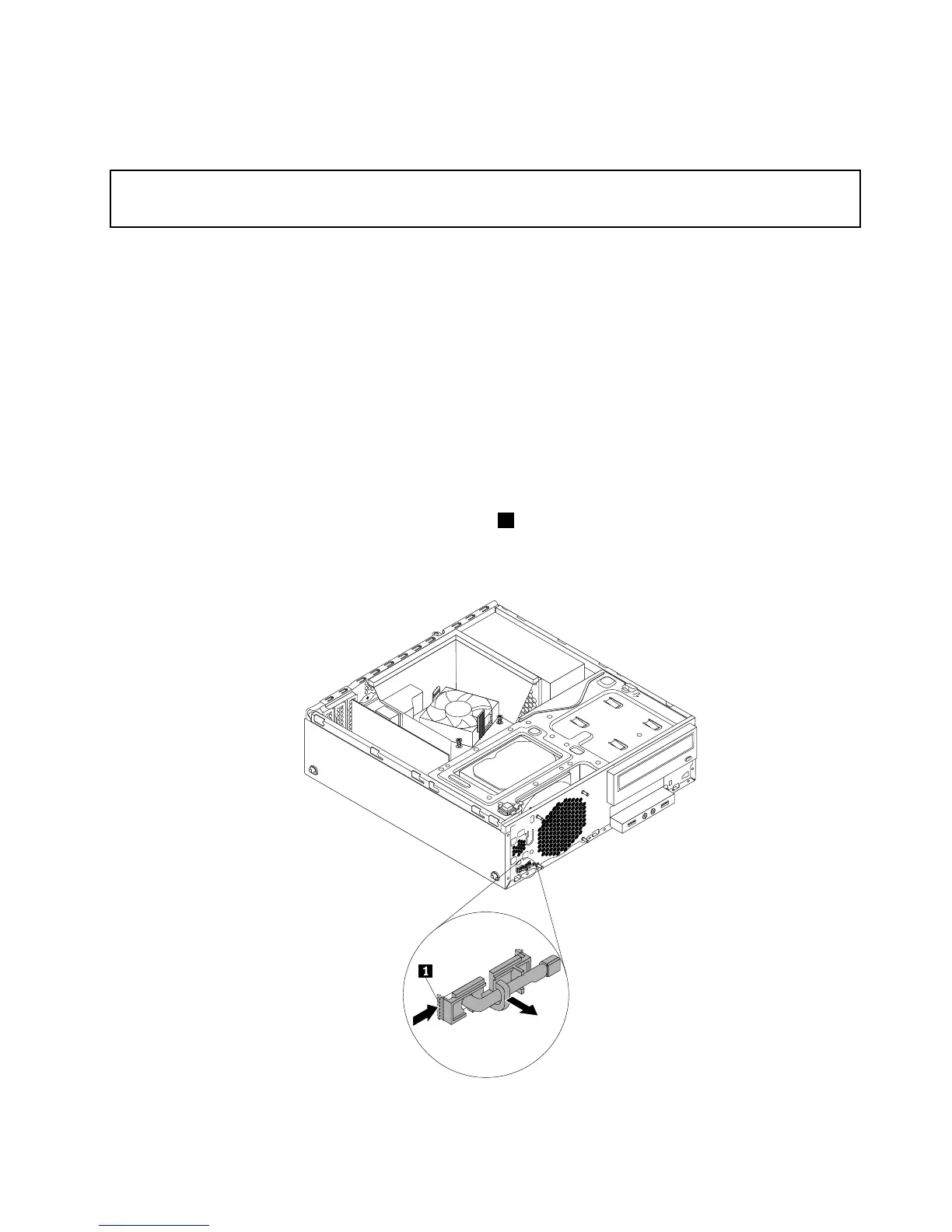
8.Frominsidethechassis,pivottheleftretainingclip1thatsecurestheplasticholderofthethermal
sensorandthenpushtheclipoutwardtoreleasetheclip.Thendisengagetheplasticholderholding
thethermalsensorfromthechassis.
Figure84.Removingthethermalsensor
Chapter5.Installingorreplacinghardware79











 To Next Page