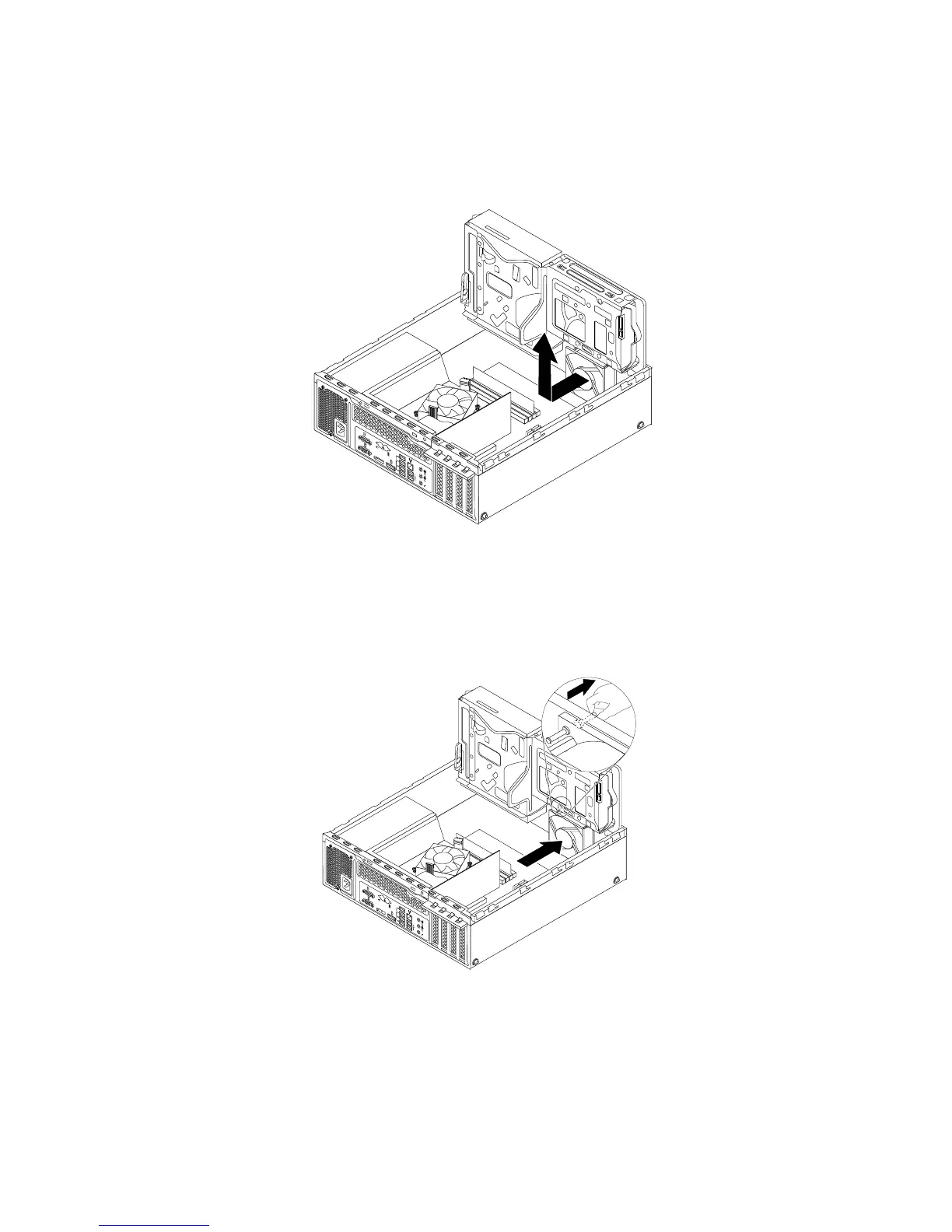
6.Thesystemfanisattachedtothechassisbyfourrubbermounts.Removethesystemfanbycutting
therubbermountsandliftingthesystemfanoutofthechassis.
Note:Thenewfrontfanassemblywillhavefournewrubbermountsattached.
Figure82.Removingthesystemfan
7.Installthenewsystemfanbyaligningthenewrubbermountsthatcamewiththenewsystemfanwiththe
correspondingholesinthechassis,andthenpushtherubbermountsthroughtheholes.Then,carefully
pullonthetipsoftherubbermountsfromthebottomuntilthenewsystemfanissecuredinplace.
Figure83.Installingthesystemfan
8.Connectthenewsystemfancabletothesystemfanconnectoronthesystemboard.See“Locating
partsonthesystemboard”onpage12
Whattodonext:
•Toworkwithanotherpieceofhardware,gototheappropriatesection.
78ThinkStationE32UserGuide











 To Next Page