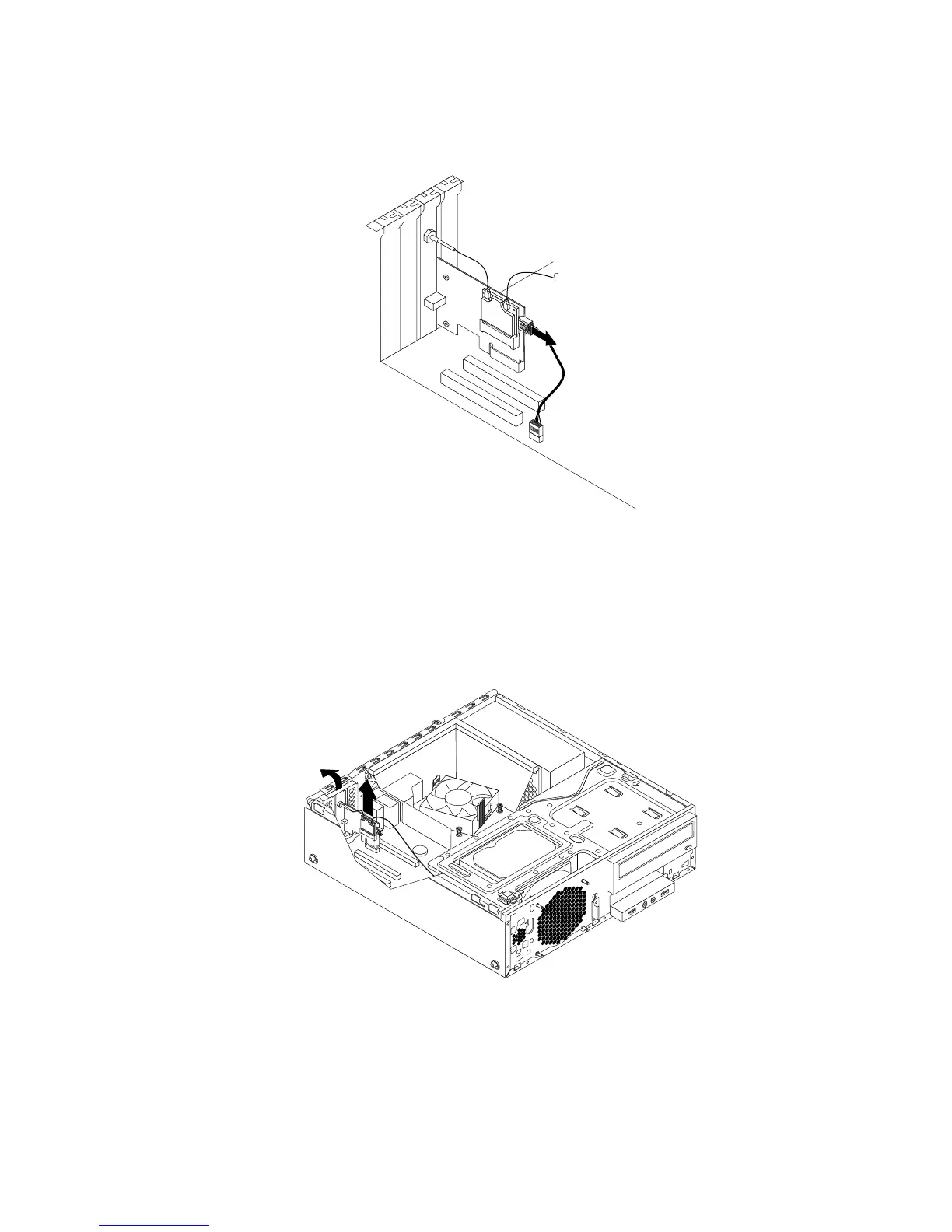
3.IfyourcomputercomeswithaWi-FicardmodulethatsupportstheBluetoothfunction,disconnect
theBluetoothcablefromtheWi-Fiadaptercard.
Figure89.DisconnectingtheBluetoothcable
Note:TheBluetoothcableconnectstheBluetoothconnectorontheWi-FiadaptercardtothefrontUSB
connectoronthesystemboardtosupporttheBluetoothfunction.
4.RotatethePCIcardretainertotheopenposition.
5.GrasptheWi-Fiadaptercardthatiscurrentlyinstalledandgentlypullitoutoftheslot.
Figure90.RemovingtheWi-Fiadaptercard
Note:Thecardtstightlyintothecardslot.Ifnecessary,alternatemovingeachsideofthecarda
smallamountuntilitisremovedfromthecardslot.
Chapter5.Installingorreplacinghardware83











 To Next Page