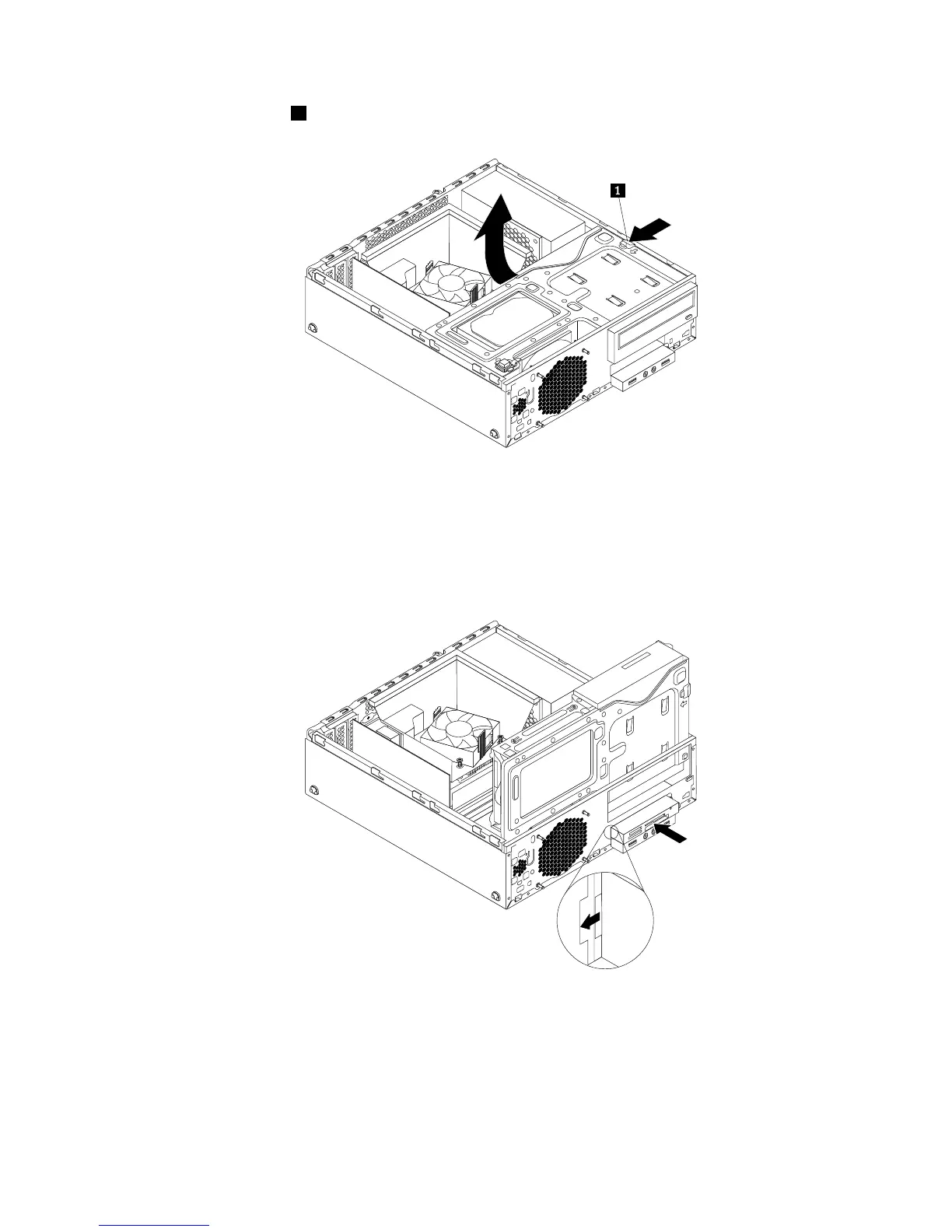
5.Pressthereleasetab1asshownandpivotthedrivebayassemblyupward.
Figure19.Pivotingthedrivebayassemblyupward
6.Installthenewcardreaderintothecardreaderbracket.Theninstallthetwoscrewstosecurethe
cardreadertothebracket.
7.Installthecardreaderbrackettothechassis.Thenpushthebrackettothelefttoalignthescrewholein
thebracketwiththecorrespondingholeinthechassis.
Figure20.Installingthecardreader
Chapter5.Installingorreplacinghardware39











 To Next Page