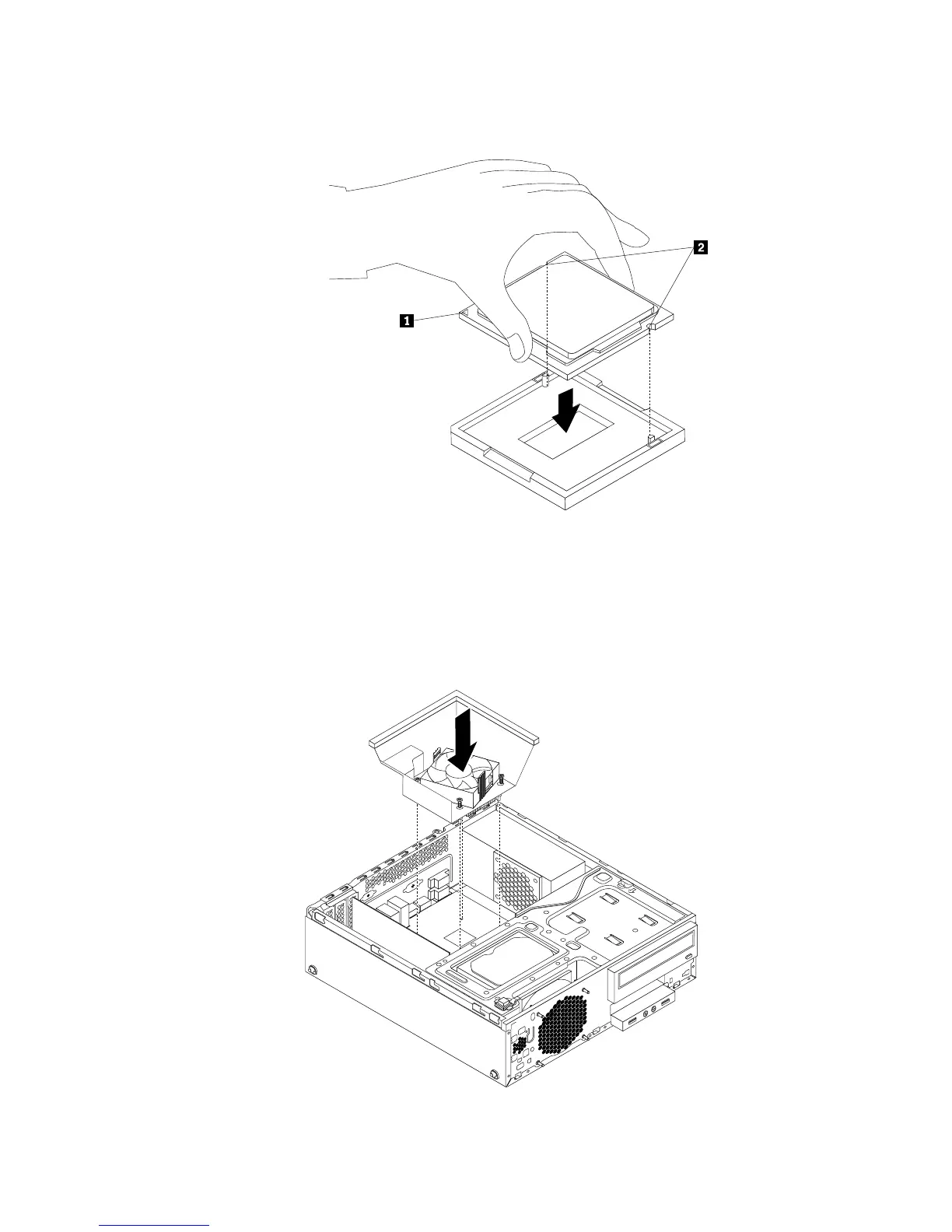
10.Lowerthenewmicroprocessorstraightdownintothemicroprocessorsocketonthesystemboard.
Figure72.Installingthemicroprocessor
11.Closethemicroprocessorretainerandlockitintopositionwiththesmallhandletosecurethenew
microprocessorinthesocket.
12.Reinstalltheheatsinkandfanassemblywiththefanductasshown.See“Replacingtheheatsinkand
fanassembly”onpage62
.
Figure73.Reinstallingtheheatsinkandfanassemblywiththefanduct
Chapter5.Installingorreplacinghardware71











 To Next Page