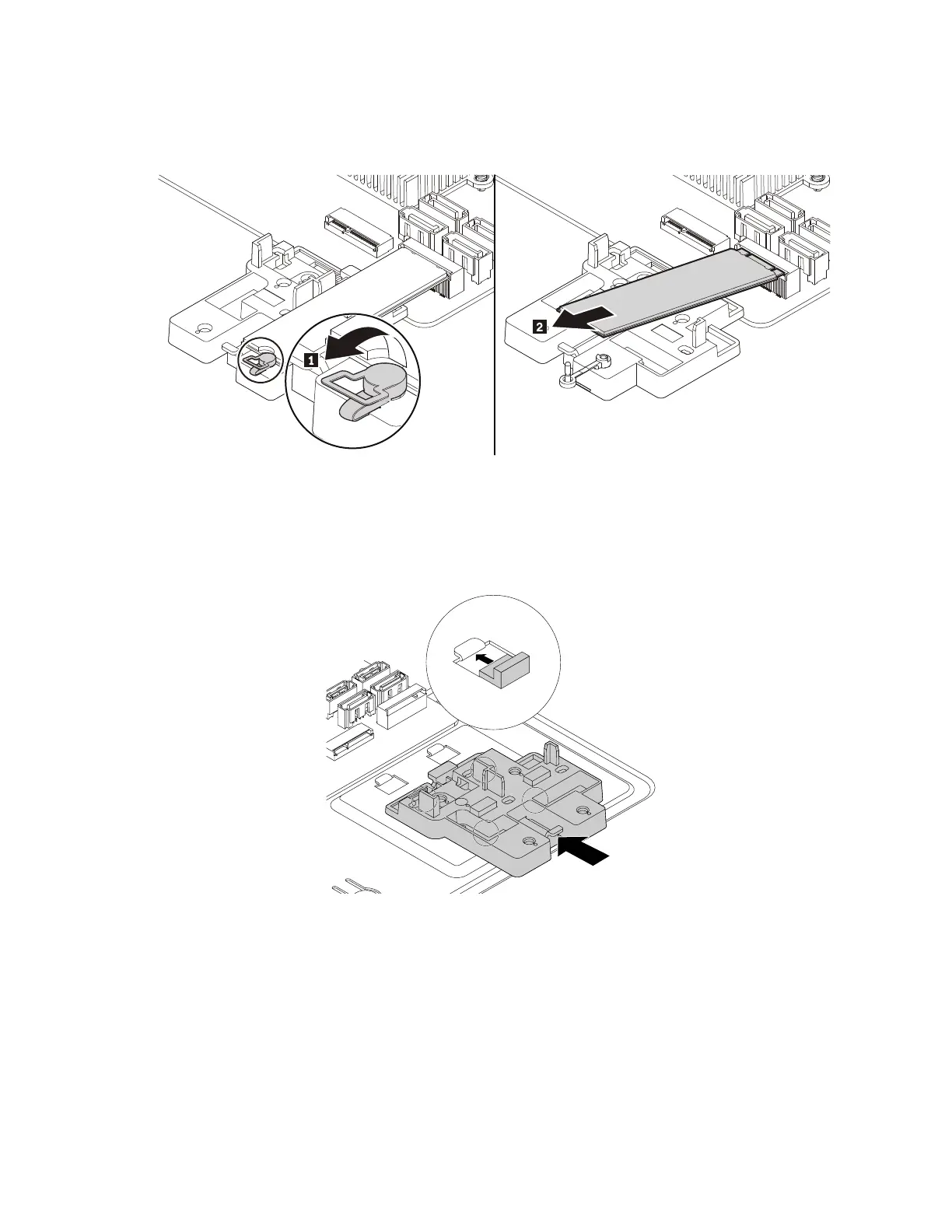
b. Pull the handle of the retention latch outward to the open position. The M.2 solid-state drive is
released from the secured position and pivots upward. Remove the M.2 solid-state drive out of the
slot.
Figure 36. Opening the retention latch and removing the M.2 solid-state drive
5. To install a new M.2 solid-state drive, do the following:
a. If necessary, align the four tabs on the rear of the plastic holder with the corresponding holes in the
chassis. Then slide the plastic holder toward the system board until it snaps into position.
Figure 37. Installing the plastic holder
110 P330 Hardware Maintenance Manual














 To Next Page