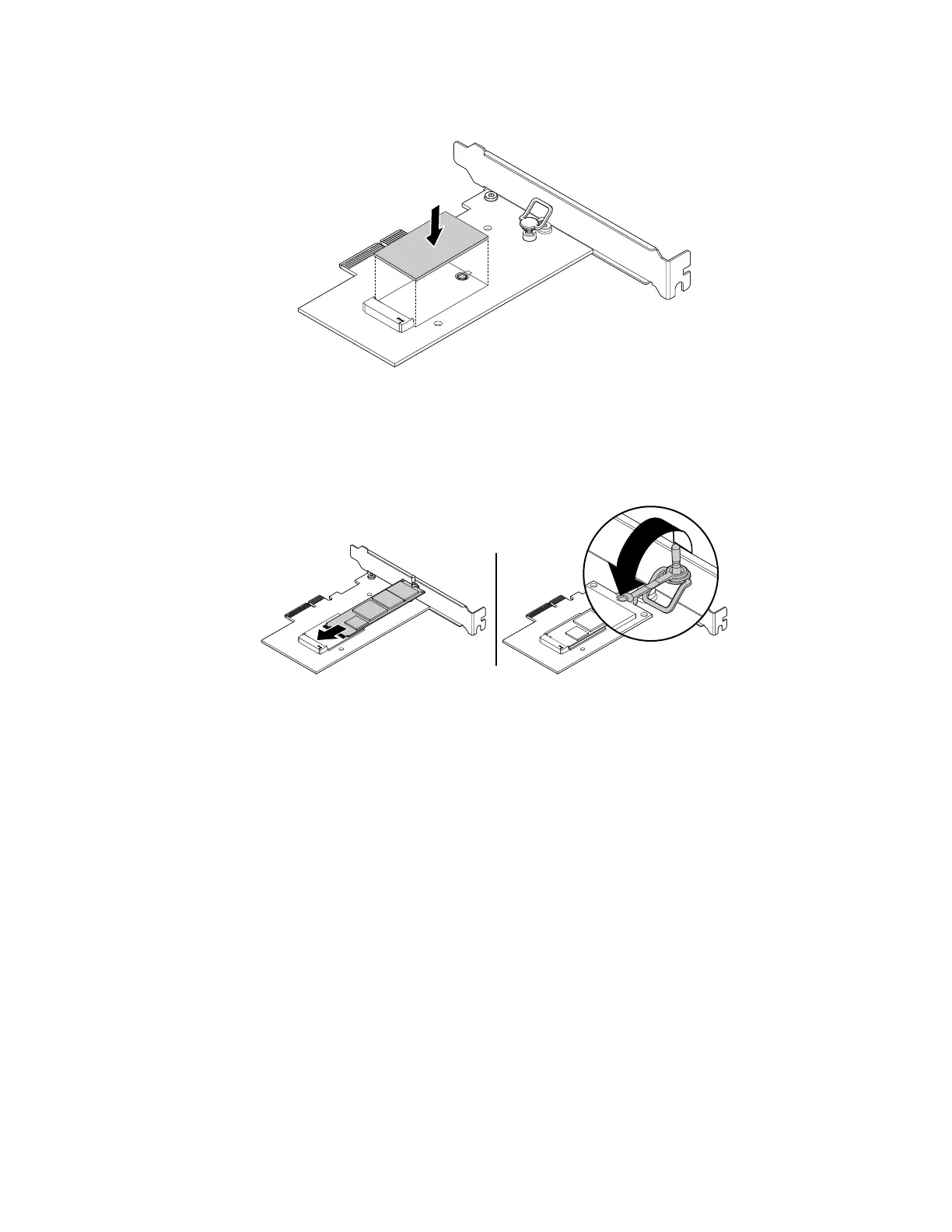
a. Ensure that a thermal pad is placed in position on the M.2 solid-state drive adapter.
Figure 44. Installing the thermal pad
b. Pull outward the handle of the retention latch in the M.2 solid-state drive adapter.
c. Insert the new M.2 solid-state drive into the M.2 slot. Then, insert the plug of the retention latch into
the hole to secure the new drive.
Figure 45. Installing the M.2 solid-state drive
114 P330 Hardware Maintenance Manual














 To Next Page