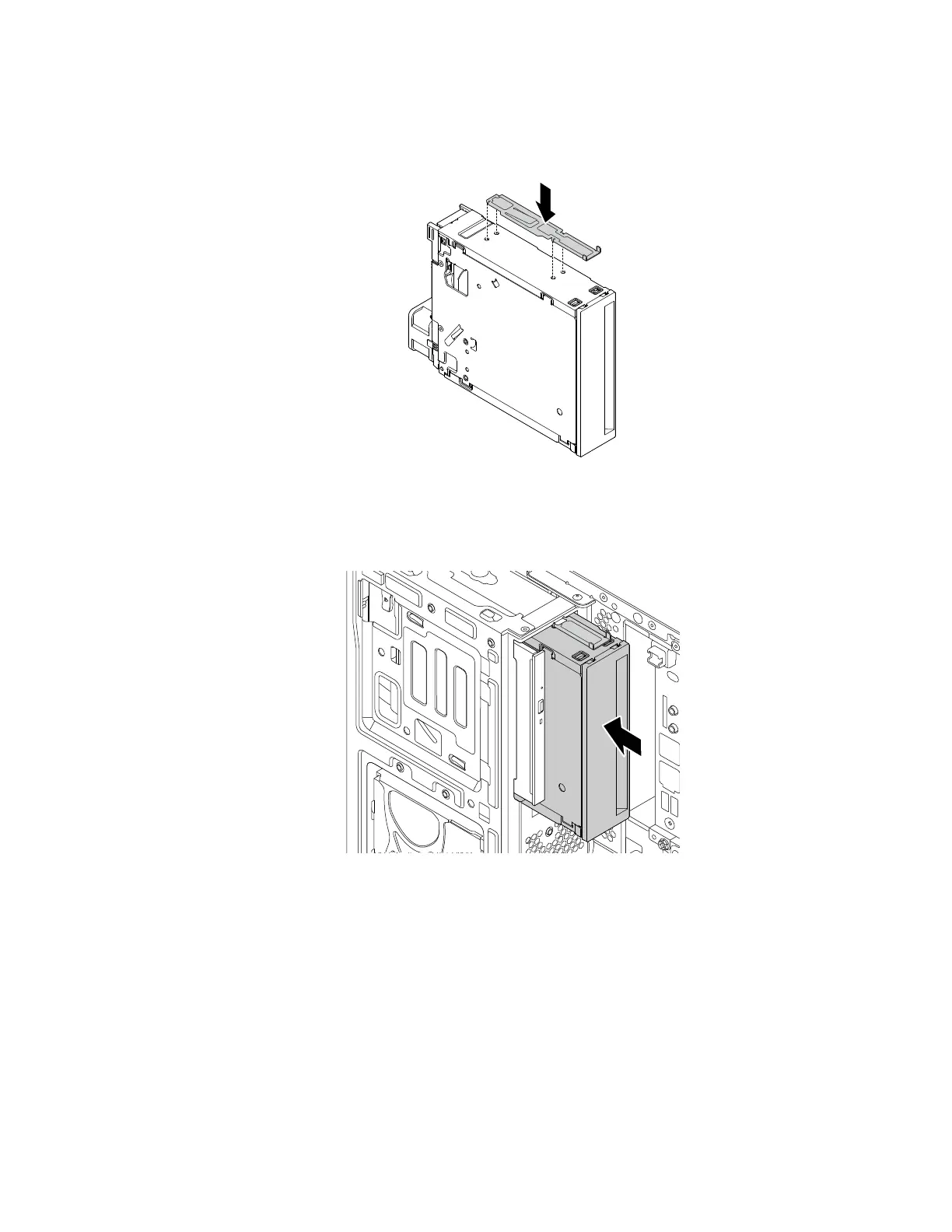
4. To install a flex storage enclosure, do the following:
a. Install the retainer shipped with the new flex storage enclosure onto the new flex storage enclosure
as shown.
Figure 53. Installing the retainer
b. Note the orientation of the new flex storage enclosure. Then, slide the flex storage enclosure into the
flex bay from the front of the chassis until it snaps into position.
Figure 54. Installing the new flex storage enclosure
c. Connect the signal cable and the power cable to the new flex storage enclosure.
Note: Reconnect any cables removed from other supported devices.
What to do next:
• To work with another piece of hardware, go to the appropriate section.
• To complete the installation or replacement, go to “Completing the parts replacement” on page 187.
Chapter 9. Hardware removal and installation 119














 To Next Page