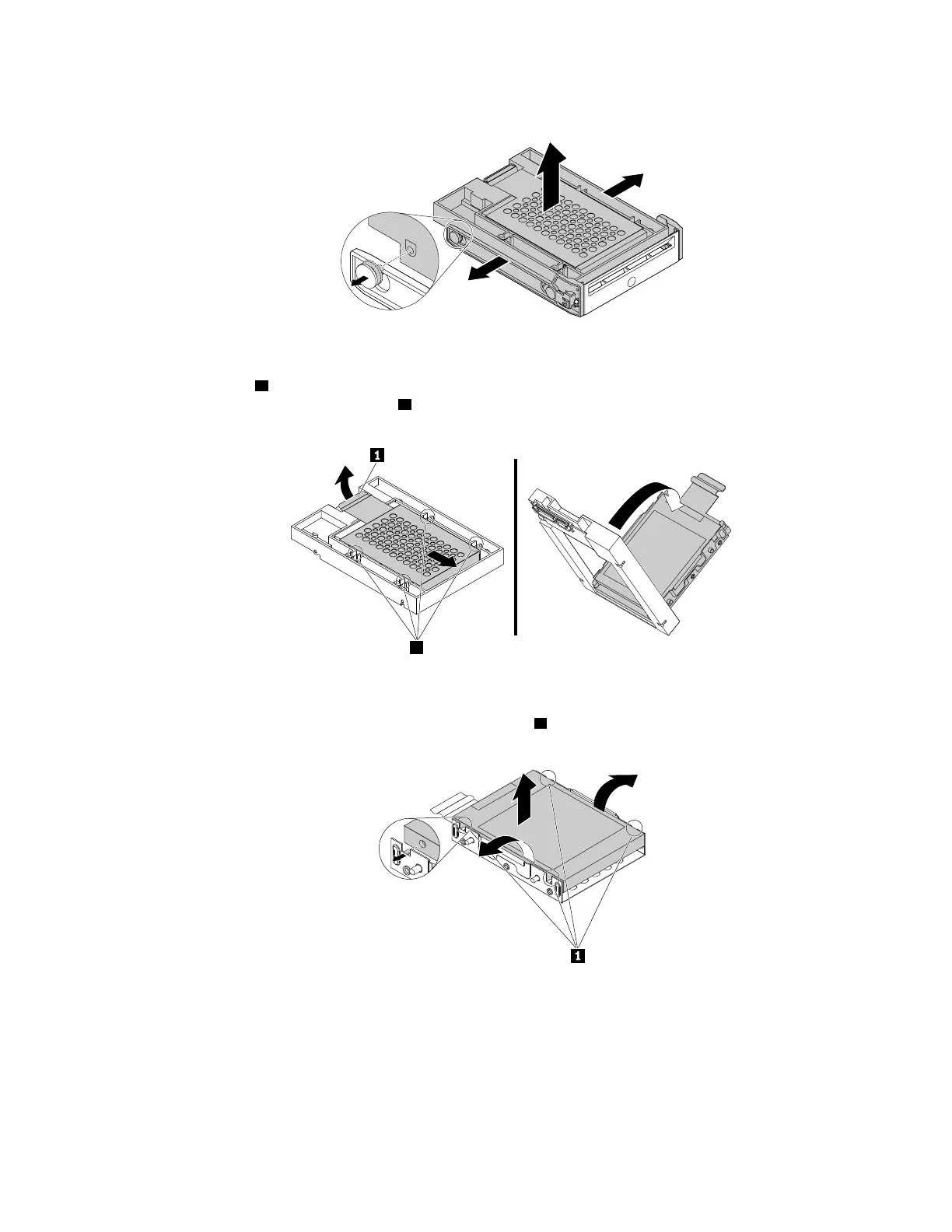
a. Flex both sides of the bracket to remove the 2.5-inch storage drive from the bracket.
Figure 62. Removing the 2.5-inch storage drive from the bracket
b. Pivot the tab 1 of the metal adapter upward. Then, push the adapter as shown until the four tabs on
the adapter slide into the notches
2 . Pivot the adapter as shown to remove it with the storage drive
from the converter.
Figure 63. Removing the adapter from the converter
c. Flex both sides of the adapter to release the four pins 1 from the storage drive. Then, remove the
storage drive from the adapter.
Figure 64. Removing the storage drive from the adapter
5. To install a new 2.5-inch storage drive, do the following:
Chapter 9. Hardware removal and installation 123














 To Next Page