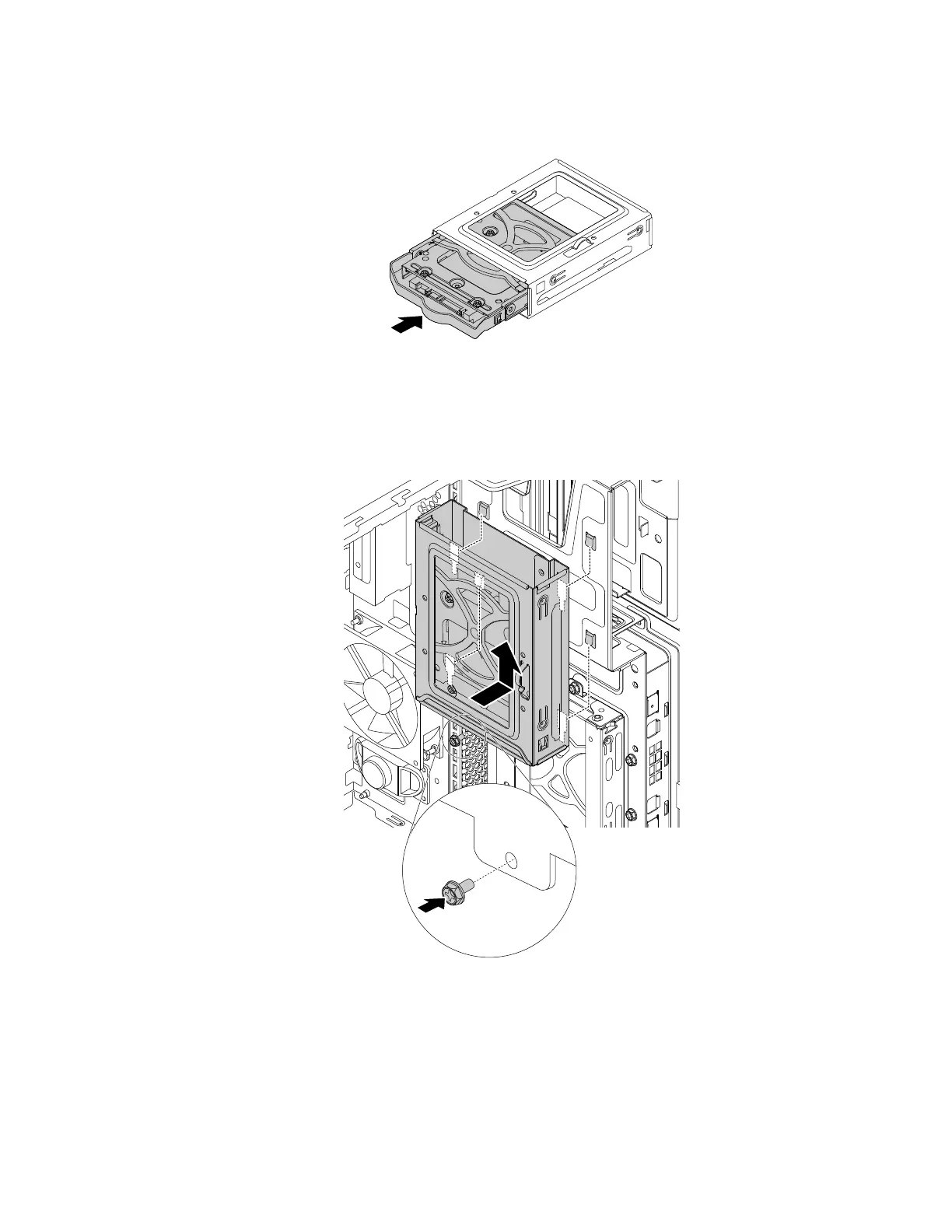
c. Slide the new storage drive with the storage-drive converter into the type-1 storage-drive cage until it
snaps into position.
Figure 107. Installing the 2.5-inch storage drive into the type-1 storage-drive cage
d. Align the four holes in the rear of the type-1 storage-drive cage with the corresponding hooks in the
drive bay assembly. Then slide the type-1 storage-drive cage upward until it snaps into position.
Reinstall the screw to secure the type-1 storage-drive cage.
Figure 108. Installing the type-1 storage-drive cage
e. Connect the signal cable and the power cable to the new storage drive.
What to do next:
• To work with another piece of hardware, go to the appropriate section.
• To complete the installation or replacement, go to “Completing the parts replacement” on page 187.
Chapter 9. Hardware removal and installation 147














 To Next Page