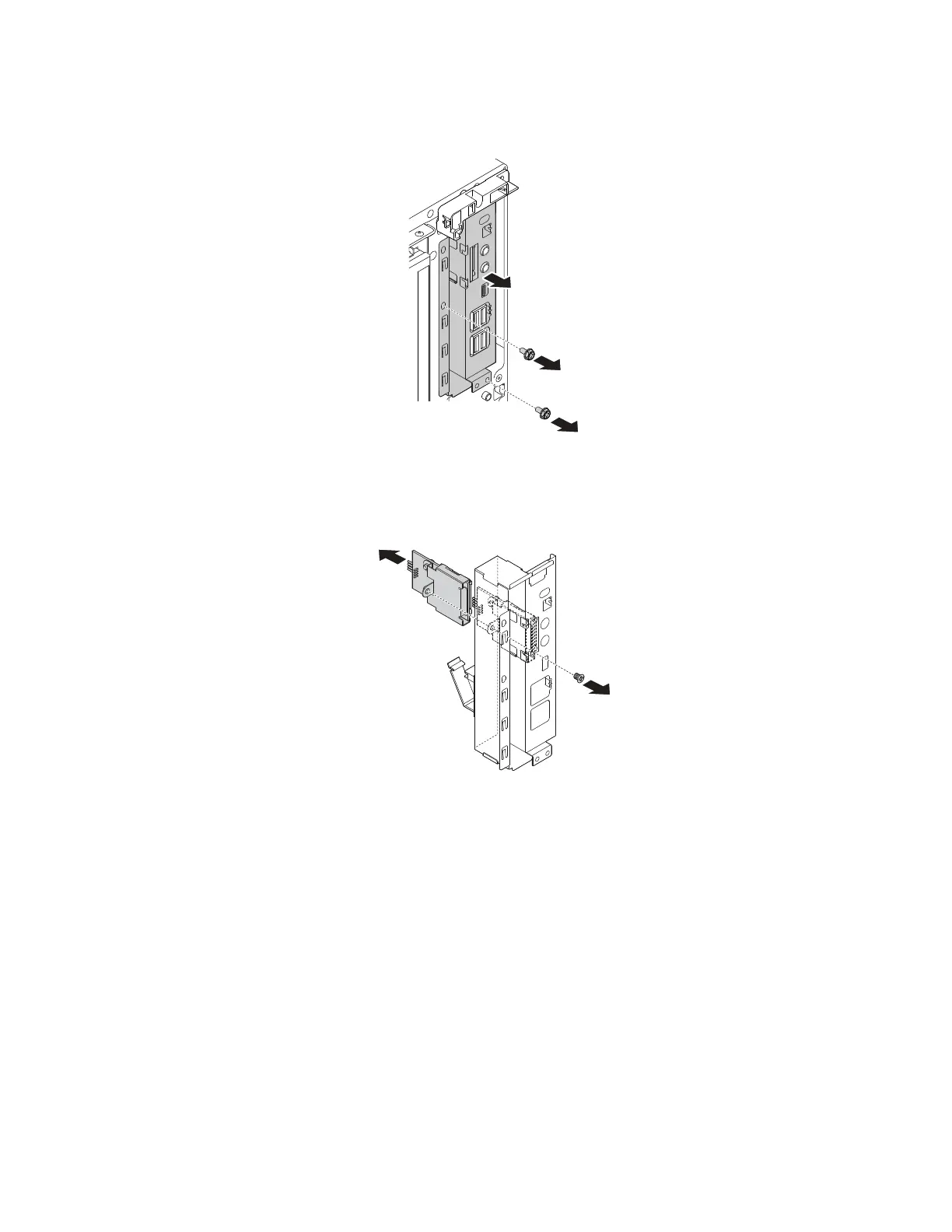
c. Remove the screws that secure the front audio and USB assembly. Slide the front audio and USB
assembly outward as shown to remove it from the chassis.
Figure 118. Removing the front audio and USB assembly
d. Remove the screw that secures the card reader. Then, carefully pull out the card reader from the rear
of the front audio and USB assembly.
Figure 119. Removing the card reader
5. To install a front audio and USB assembly and card reader, do the following:
154
P330 Hardware Maintenance Manual














 To Next Page