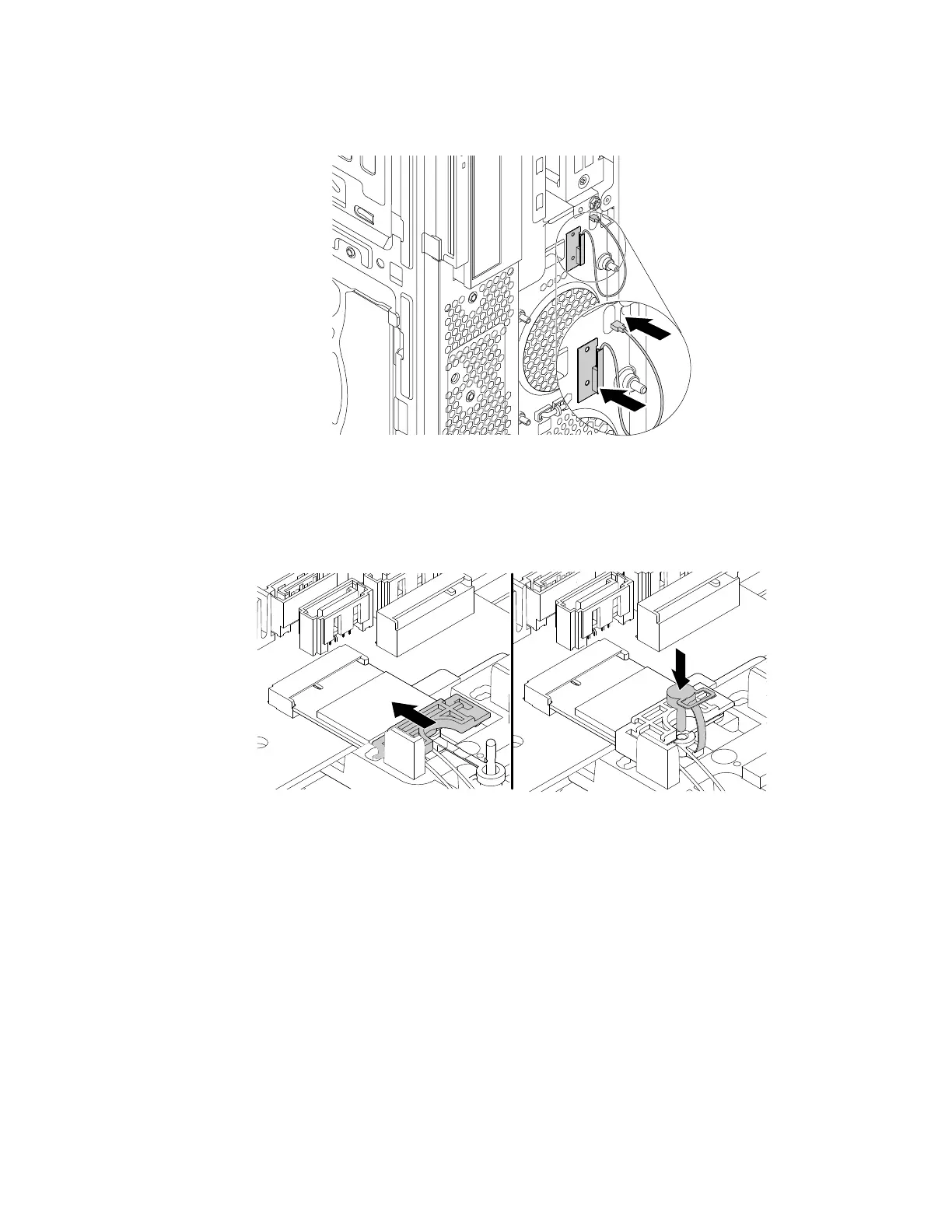
b. Stick the front Wi-Fi antenna to the front panel as shown. Then, insert the front Wi-Fi antenna cable
into the hole in the chassis.
Figure 142. Installing the front Wi-Fi antenna
c. Connect the front Wi-Fi antenna cable to the Wi-Fi card module.
d. Reinstall the shield and insert the plug of the retention latch into the hole to secure the Wi-Fi card
module.
Figure 143. Reinstalling the shield and insert the plug of the retention latch into the hole to secure the Wi-Fi card
module
Rear Wi-Fi antenna
To remove or install the rear Wi-Fi antenna, do the following:
1. Prepare your computer. See “Preparing your computer” on page 98.
2. Locate the rear Wi-Fi antenna. See “FRUs and CRUs” on page 35.
3. To remove the rear Wi-Fi antenna, do the following:
Chapter 9. Hardware removal and installation 169














 To Next Page