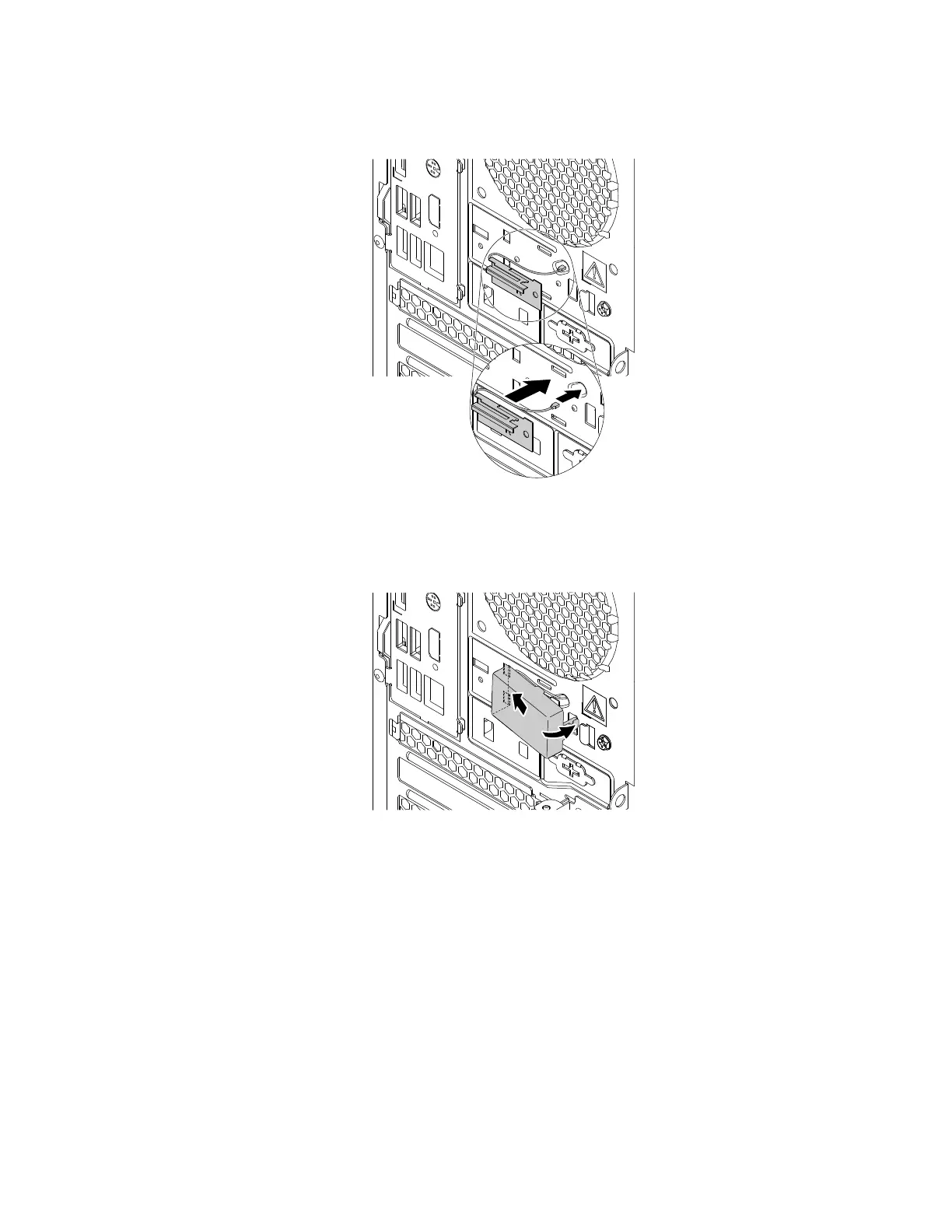
b. Stick the rear Wi-Fi antenna to the rear panel as shown. Then, insert the rear Wi-Fi antenna cable into
the hole in the rear panel.
Figure 148. Installing the rear Wi-Fi antenna
c. Insert the tab of the shield into the hole in the rear panel and pivot the shield inward until it snaps into
position.
Figure 149. Installing the shield
d. Connect the rear Wi-Fi antenna cable to the Wi-Fi card module.
172
P330 Hardware Maintenance Manual














 To Next Page