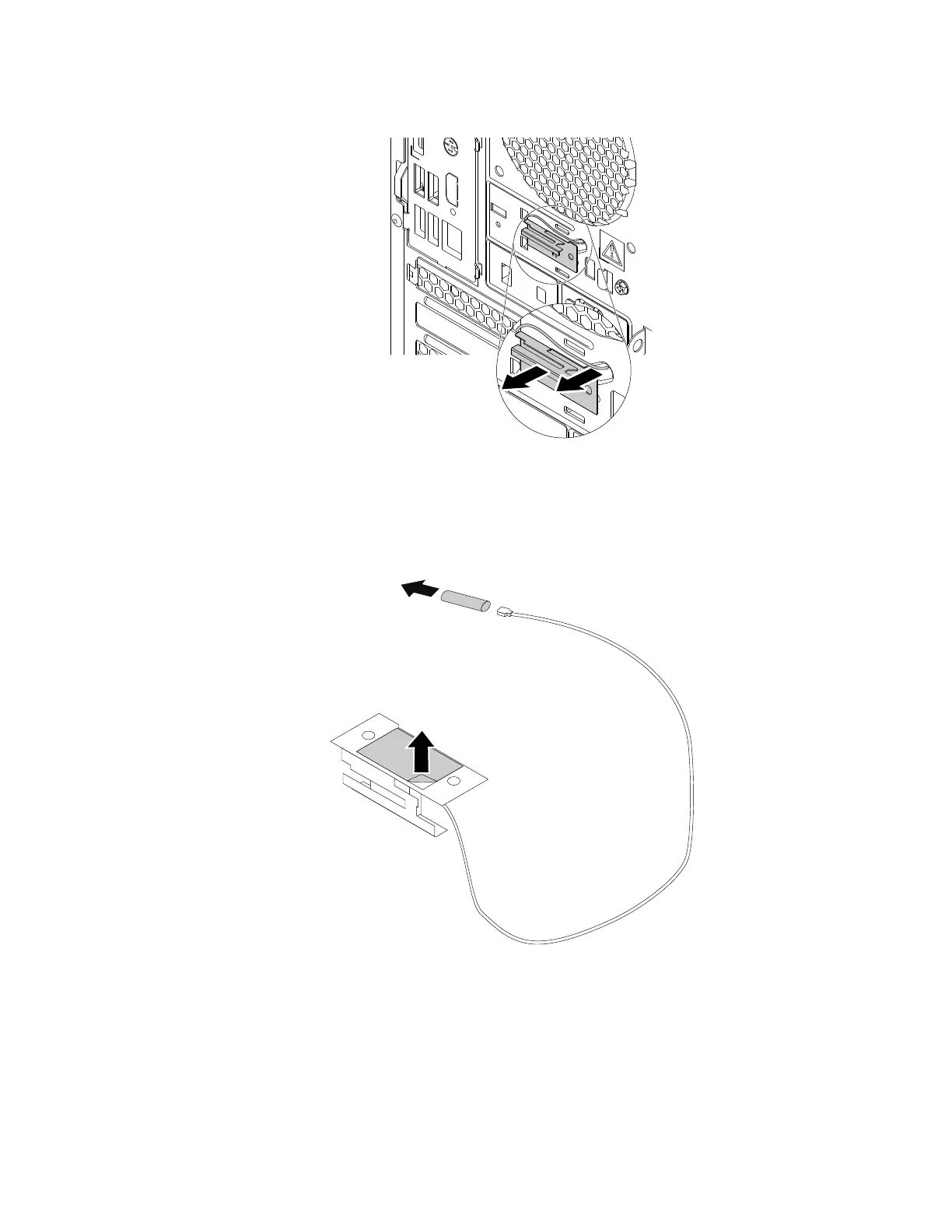
d. Remove the rear Wi-Fi antenna cable from the chassis.
Figure 146. Removing the rear Wi-Fi antenna cable
4. To install the rear Wi-Fi antenna, do the following:
a. If necessary, peel off the paper that protects the sticker on the rear Wi-Fi antenna. Remove the
plastic cover from the rear Wi-Fi antenna cable connector.
Figure 147. Peeling off the paper that protects the sticker and removing the plastic cover
Chapter 9. Hardware removal and installation 171














 To Next Page