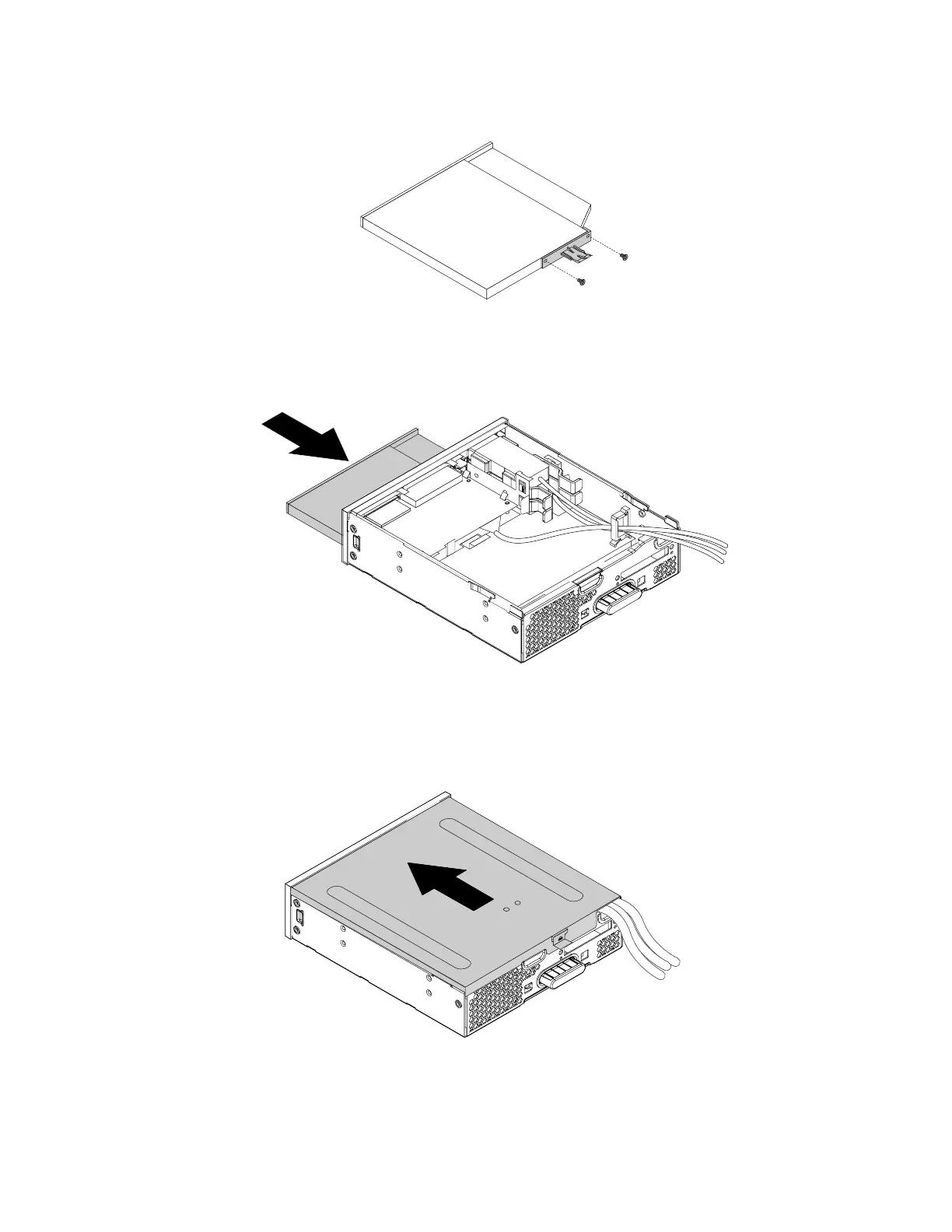
b. Install the two screws to secure the plastic clip on the rear of the new slim optical drive.
Figure 161. Installing the plastic clip to the slim optical drive
c. Slide the new slim optical drive with the plastic clip into the flex module until the slim optical drive
snaps into position.
Figure 162. Installing the slim optical drive into the flex module
6. Position the flex module cover on the flex module. Ensure that the rail guides on the bottom of the cover
engage the rails on the flex module. Then, push the cover to the front of the flex module until it snaps
into position.
Figure 163. Reinstalling the flex module cover
7. Install the flex module into the flex bay. Reconnect any removed cables to the flex module.
180
P330 Hardware Maintenance Manual














 To Next Page