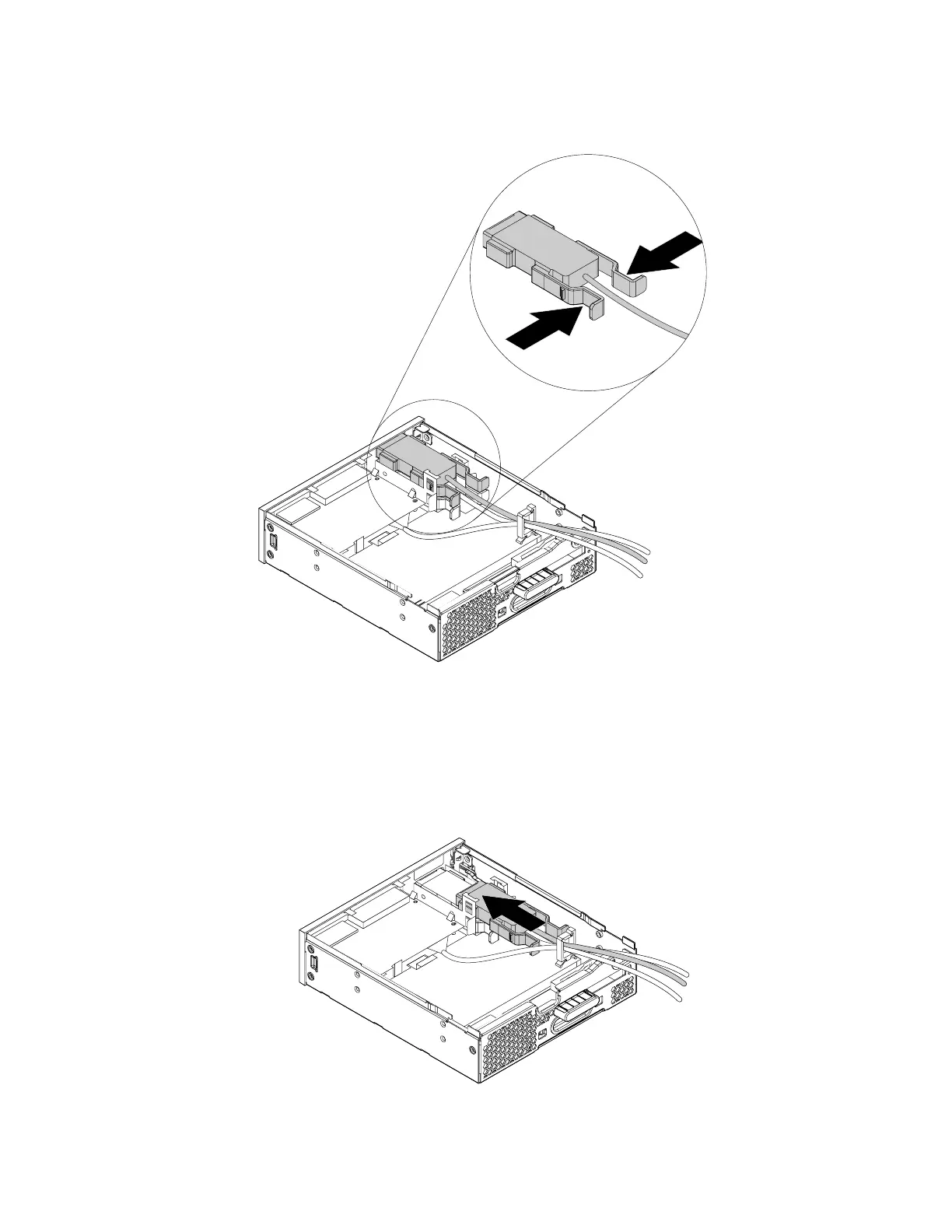
5. Press the two clips toward each other as shown and then pull the eSATA connector or IEEE 1394
connector out of the flex module.
Figure 165. Removing the eSATA connector or IEEE 1394 connector from the flex module
6. To install a new eSATA connector or a new IEEE 1394 connector, do the following:
a. Note the orientation of the eSATA connector or IEEE 1394 connector and route the eSATA connector
or IEEE 1394 connector cable into the cable clip.
b. Place the eSATA connector or IEEE 1394 connector into the metal retainer. Then insert the eSATA
connector or IEEE 1394 connector into the corresponding slot in the flex module as shown.
Figure 166. Installing the eSATA connector or IEEE 1394 connector in the flex module
182 P330 Hardware Maintenance Manual














 To Next Page